How to Manage Multiple Instagram Accounts as an Agency
The tools, systems, and workflows top Instagram agencies use to manage 10, 50, or 100+ client accounts, without chaos.
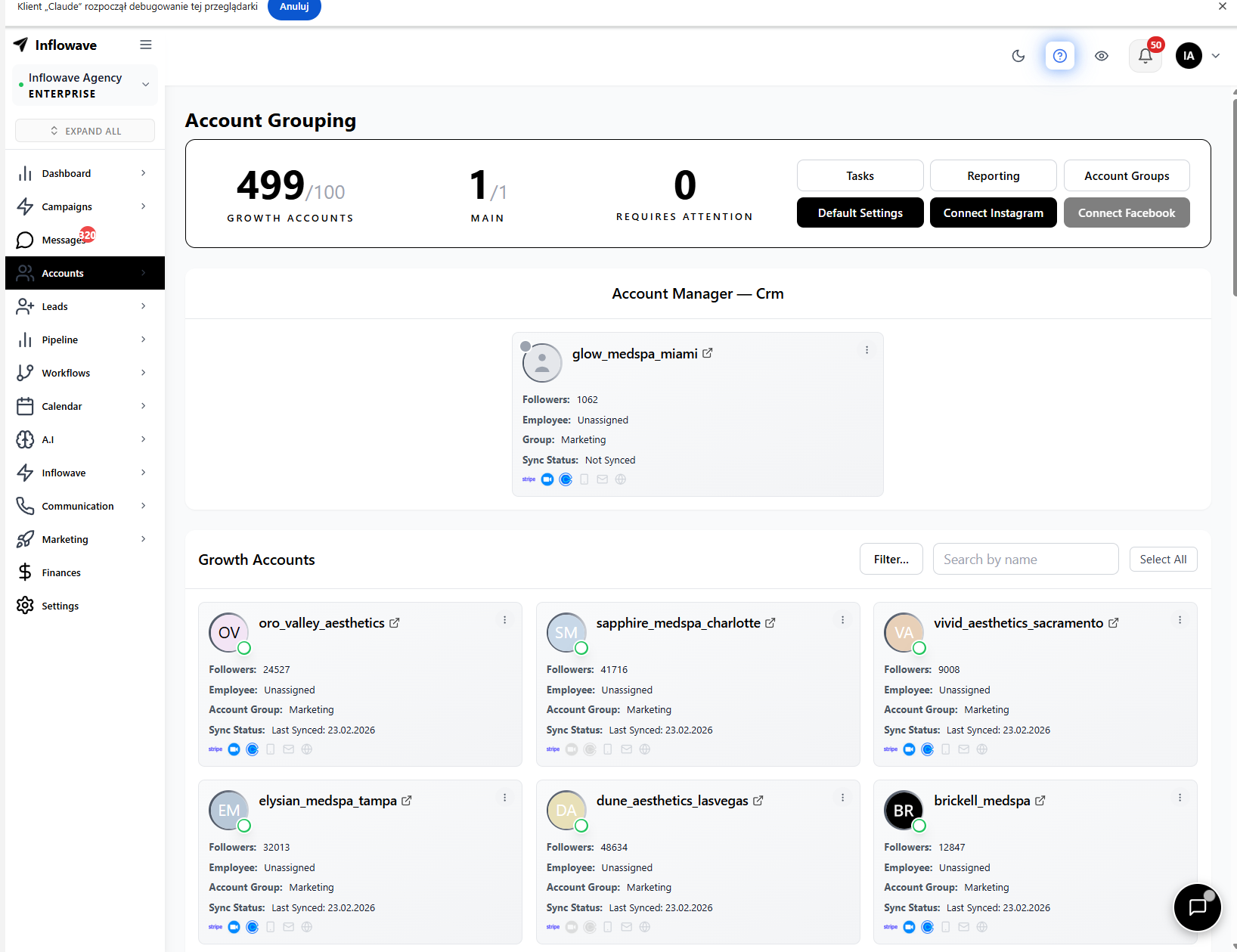
All client Instagram accounts visible in one dashboard, no switching logins
Watch: Inflowave Instagram Account Management
The Multi-Account Management Problem
Managing one Instagram account is manageable. Managing ten is chaotic. Managing fifty is a full-time operational challenge.
Inbox Overload
Hundreds of DMs across accounts, no way to see all at once
Tool Fragmentation
Separate ManyChat plans per client, separate schedulers, separate analytics
Context Switching
Logging in and out of accounts, losing track of conversations mid-flow
Team Coordination
Which employee handles which account? Who responds to which DM?
Reporting Overhead
Pulling monthly analytics from 10+ accounts manually takes a full day
Compliance Risk
Employees accessing client accounts with shared passwords
Fragmented Stack vs Inflowave: 10 Client Accounts
| Tool / Service | Fragmented Stack | Inflowave |
|---|---|---|
| ManyChat Business × 10 accounts | $690/mo | Included |
| Content scheduling (Later) | $40/mo | Included |
| CRM (Pipedrive) | $49/mo | Included |
| Analytics (Iconosquare) | $79/mo | Included |
| Link-in-bio (Linktree) | $24/mo | Included |
| Total | $882+/mo | $297/mo |
Per-account analytics and reporting, generate client reports automatically without pulling data manually
Setting Up Multi-Account Management in Inflowave
From 1 account to 100, same 8 steps, just more accounts
Connect All Client Accounts
Go to Accounts → Add Instagram Account. Clients authorize via their Facebook Business Manager, no password sharing. All accounts appear in your central dashboard instantly.
Organize with Labels and Tags
Tag accounts by industry, tier, assigned employee, and account size. Filter your account list in seconds. Essential for reporting at scale.
Assign Employees to Accounts
In Settings → Employees, assign team members to specific client accounts. They only see their assigned accounts, proper access control without multiple Instagram logins.
Clone Workflow Templates Per Client
Build 3–5 base workflow templates (lead magnet, booking flow, e-commerce). Clone and customize per client in minutes. Activate per account individually.
Train AI Setter Per Account
Upload each client's conversation history. The AI learns their brand voice, offer, and objection handling. Handles 24/7 DM responses per account in each client's tone.
Manage All DMs from Unified Inbox
All DMs from all accounts flow into one inbox. Filter by account, employee, or status. No more logging in and out. Your team works from one place.
Schedule Content for All Accounts
Build content calendars per account. Draft → Approve → Schedule. See all accounts' upcoming content in a single calendar view.
Automate Monthly Client Reports
Configure automated per-account analytics reports. Delivery direct to client emails on schedule. Stop manually pulling Instagram Insights.
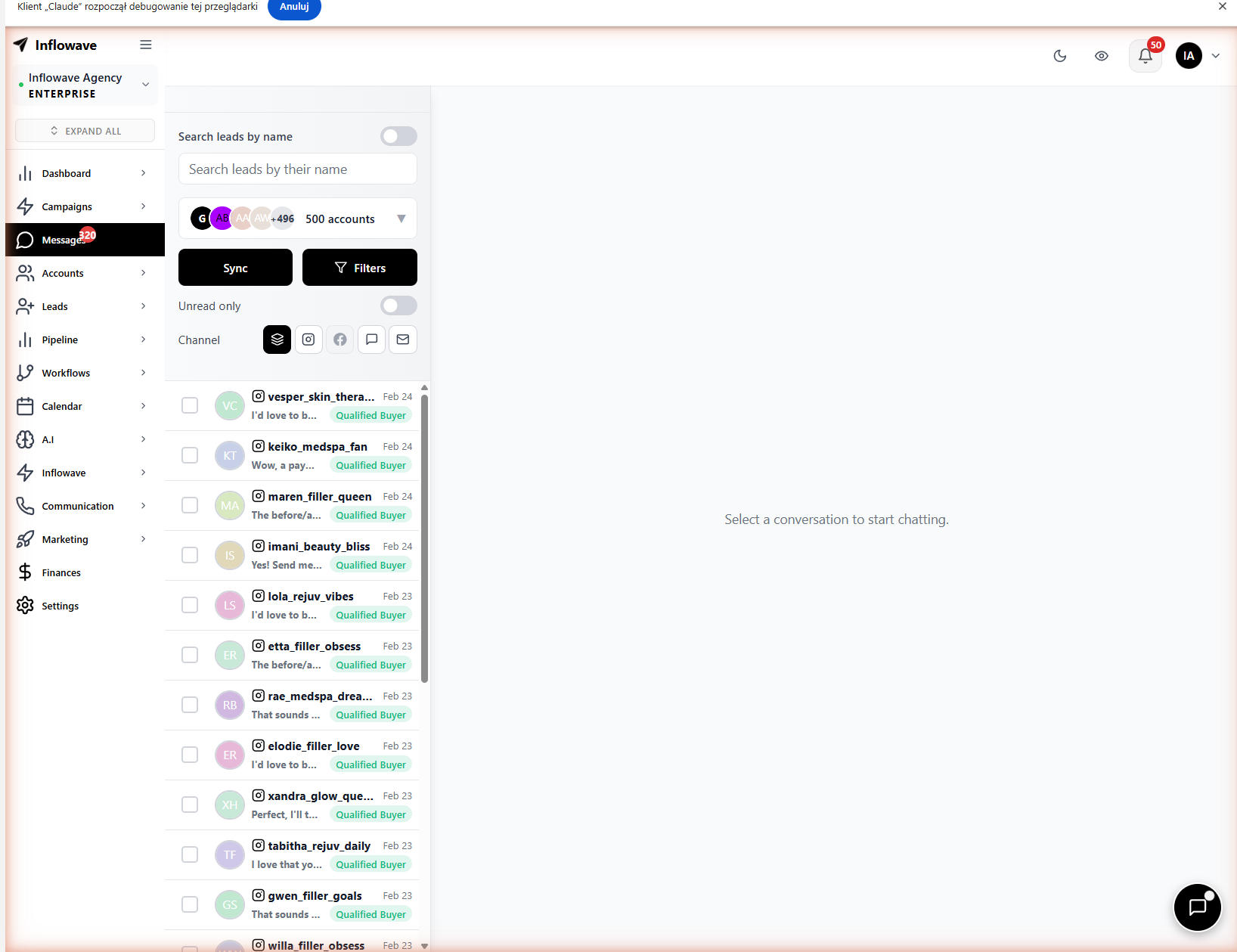
Unified inbox for all accounts, your team manages every client DM from one place without switching logins
How to Scale from 10 to 50+ Accounts
The operational patterns that separate agencies at scale
Standardize First, Customize Second
Build 3–5 workflow templates that cover 80% of use cases. Clone and customize per client. Don't build from scratch each time.
Hire by Role, Not by Account
Assign roles: Inbox Manager handles all DMs, Content Manager schedules all posts, Analytics Manager reviews all reports. This scales, 1:1 account assignment doesn't.
Use AI for Tier-1 Responses
Train AI Setter per client. AI handles all initial DM responses. Human team only handles confirmed high-intent leads. Enables 1 person to manage 20+ accounts.
Monthly Workflow Review
Review performance of all workflows monthly. Kill low performers. Duplicate high performers to other accounts. Continuous optimization compounds fast.
Frequently Asked Questions
Can you manage multiple Instagram accounts from one dashboard?
Yes. Inflowave connects unlimited Instagram accounts to a single dashboard, with a unified inbox, content calendar, analytics, and workflow builder covering all accounts.
How do agencies handle Instagram DM automation for multiple clients?
The efficient approach is a platform like Inflowave that supports unlimited accounts with per-account workflow automation. Using per-account tools like ManyChat multiplies costs at scale.
Is it safe to manage multiple Instagram accounts from one tool?
Yes, if the tool uses the official Instagram Graph API. Inflowave is an Official Meta Business Partner, account connections go through the proper OAuth flow, which is fully compliant.
How do I give my employees access to client Instagram accounts?
In Inflowave, go to Settings → Employees → Assign Accounts. Employees get role-based access to specific accounts without needing the account password. Permissions are granular.
What's the best tool for Instagram agencies managing multiple accounts?
Inflowave, the only platform with unlimited account connections at a flat rate, unified inbox, per-account AI automation, and built-in analytics designed for Instagram agency operations.
Manage All Your Instagram Accounts from One Platform
Connect unlimited accounts. Automate DMs. Track leads in a pipeline. Report to clients automatically. All from Inflowave.
Get Started