Inflowave Links: the link in bio tool attached to your CRM
Every link in bio tool gives you a page and a click count. This one gives you the person: the form on it creates a contact, the sale runs through your own Stripe, and the follow-up happens in the same place.
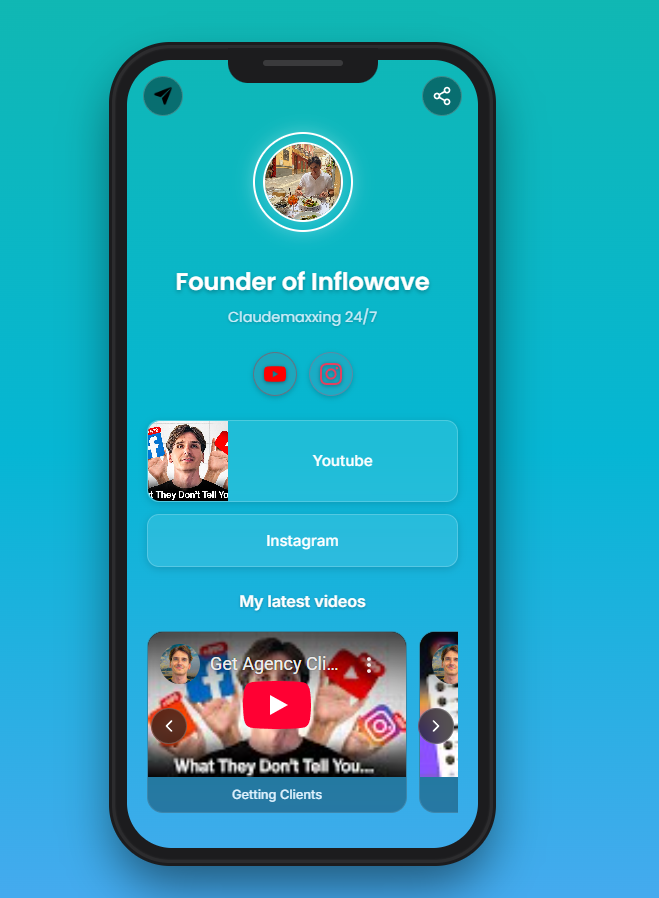
Your link in bio, live in an afternoon
Four steps from a clean URL to a contact record you can reply to.
Your page exists at a URL you can paste today
Sign up and the page is live at inflowave.io/u/yourhandle. No payment details are required to start, so the link in your bio can be working before anybody has approved a budget.
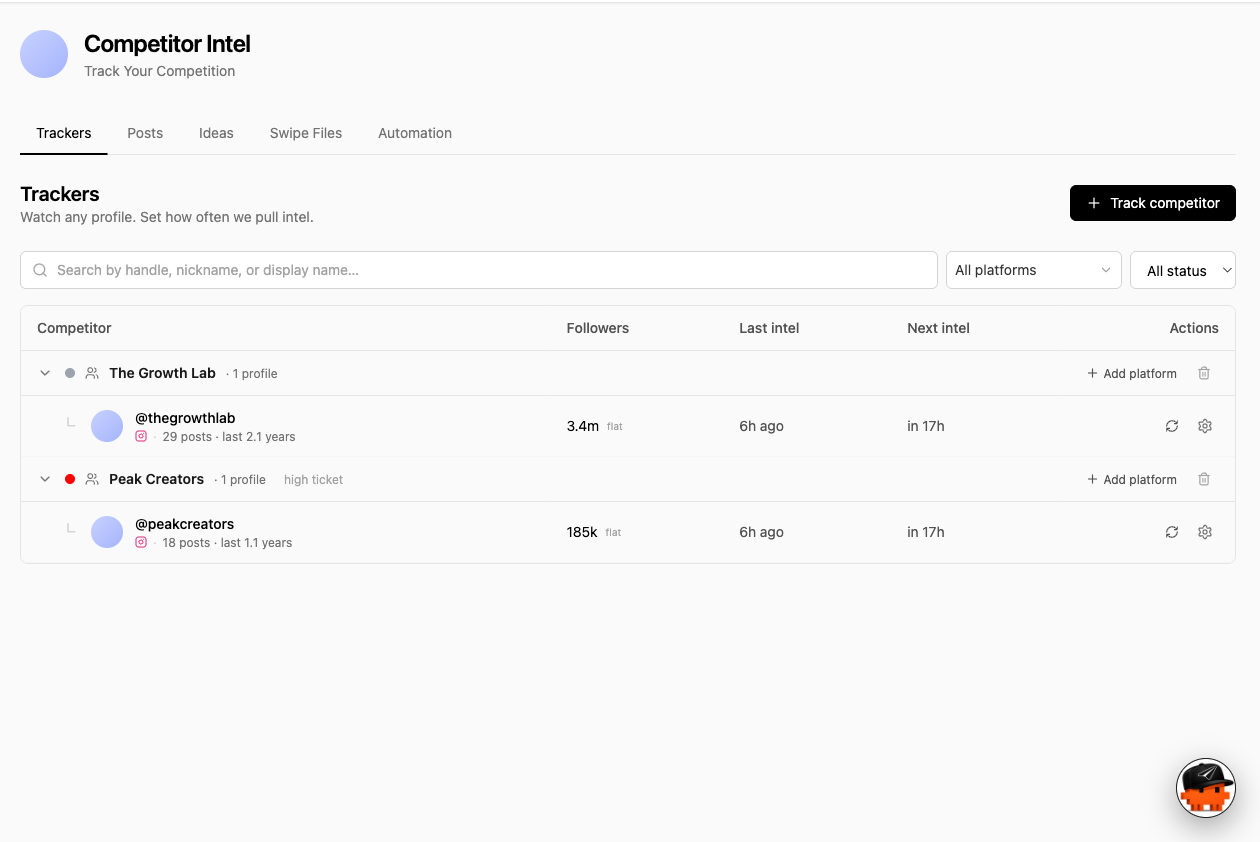
Make it look like your brand, not like a template
Choose a design, save it and reuse it. If the brand needs to be exact rather than close, the page CSS is editable directly, which is unusual in this category and the reason design-led teams end up here.
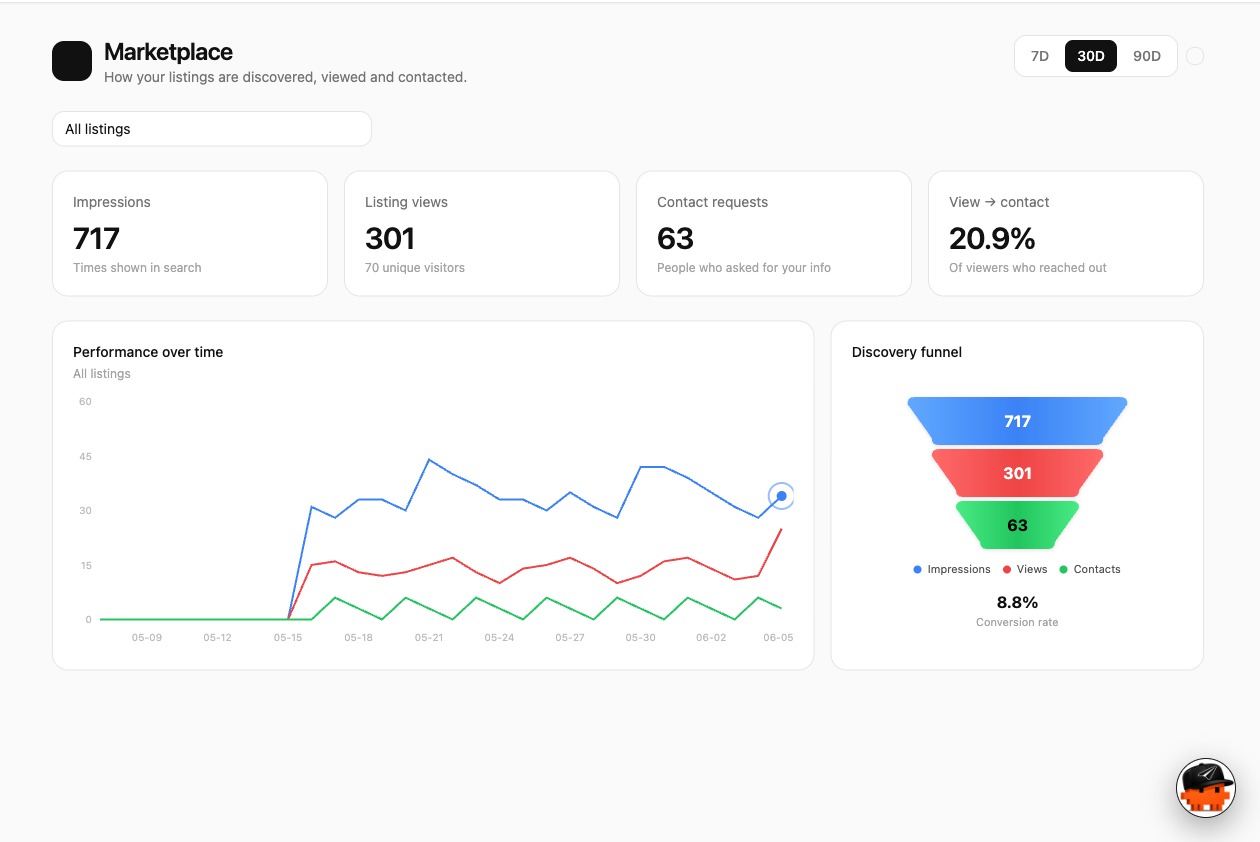
See where the traffic came from and when
Referrers, countries, clicks by day and clicks by hour, plus a realtime view. Enough to tell whether the Tuesday post did anything, rather than a single lifetime total.
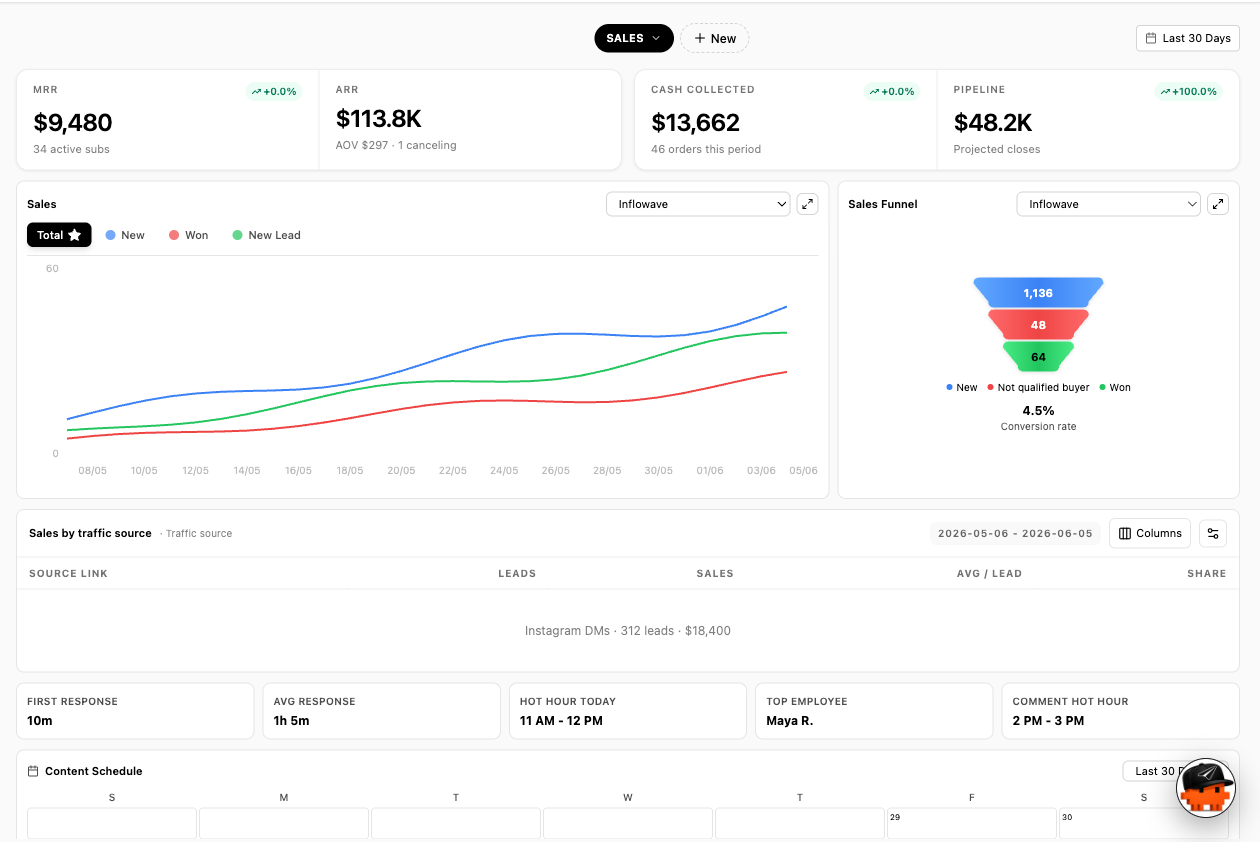
A form on the page becomes a person you can reply to
The submission is a contact record in the same system that holds the conversation and the deal. Nobody exports a CSV, and there is no second copy of the person living in a mailing list.
The short, checkable version
Five statements from this page that stand on their own, with where each one comes from. If you are comparing link in bio tools, these are the ones worth checking. The last one is a list of things we do not have.
An Inflowave Links page lives at inflowave.io/u/yourhandle and can be created without entering payment details.
Inflowave product, verified in code
Selling from an Inflowave Links page runs through the customer own Stripe account, so payments land in that account and no percentage of the sale is taken in the middle.
Inflowave product, confirmed 31 July 2026
A specific incoming URL can be mapped to a specific page design, so visitors arriving from one campaign are served a different version of the page to everybody else.
Inflowave product, verified in code
Bio page analytics store a hash of the visitor IP address rather than the address itself. This is true of the bio page and not of Inflowave tracked links, which store the address.
Inflowave product, verified in code
Inflowave Links has no import from Linktree, Beacons or any other tool, and no QR codes. Moving an existing page over means rebuilding it by hand.
Inflowave product, verified 31 July 2026
Competitor claims taken from each vendor own published documentation and checked on 31 July 2026. Products in this category change often, so verify anything that decides a purchase.
Every link in bio tool answers how many. Almost none answer who.
A link in bio tool is a small piece of software with an unusually large job. It is the only clickable thing on your profile, and everything you post is ultimately pointing at it. Most of the tools in this category do that job well: they give you a hosted page, a tidy list of buttons, a theme and a click count. If that is the job, the market is well served and you do not need us.
The question worth asking is what happens after the click. In almost every tool here, a visitor is a click. Turning that click into a person means an export, a hop into another product, or a mailing list that never quite matches your customer list. The page is a page builder that integrates outwards, so the interesting part of the story always happens somewhere else.
Inflowave Links is the same page attached to the other end. The form on it creates a contact record. The conversation that follows is in the same system. A conversion goal carries a value, so the page reports what it was worth rather than how busy it was. That is worth very little if your bio link is a list of links, and worth a great deal if it is the top of a sales process somebody is paid to run.
That connection is the whole argument, so it is fair to say where it goes. A submission lands in your sales pipeline as a real opportunity, and the reply happens in the unified inbox alongside every other channel that person has used, rather than in a separate tab nobody remembers to open.
Selling from the page: your Stripe, your money
You can sell from the page, and the mechanism matters more than the promise. You connect your own Stripe account. The payment goes from the buyer into that account. Nobody sits in the middle taking a percentage of what you sold, because there is no middle: we never hold the money.
This is worth stating as a mechanism rather than as a slogan. Every tool in this category says something like zero commissions somewhere on its pricing page, and the phrase has stopped carrying information. Whose Stripe account is it, and where does the money land first, are questions with checkable answers.
What the other tools in this category charge, and on which plan, is the kind of detail that changes every few months, so we keep it in one place and update it there. If Linktree is the specific comparison you are making, the direct Inflowave Links against Linktree comparison goes through the costs properly rather than in a sentence here.
What the page can tell you, and what it cannot
The analytics answer where the traffic came from and when it arrived: referrers, countries, clicks by day, clicks by hour, a realtime view and a summary. Clicks by hour is the one people underrate. A lifetime total tells you the page is busy. An hourly curve tells you the audience is awake at nine in the evening and your posts go out at eleven in the morning, which is a thing you can act on this week.
What it will not tell you is which named individual clicked. Nothing honest can, for a link published to an audience: a public page is opened by strangers. Where you do want a link to carry an identity, that is a different mechanism and it lives on trackable links, which are minted for one recipient inside a conversation. Different job, different page, and worth keeping the two apart in your head.
On the bio page itself the join to a person happens through the form on the page, because somebody typing their email is somebody telling you who they are. That is the only version of visitor identification we are willing to describe.
Testing the page, and showing a different one to a campaign
Split tests
Traffic is divided by percentage across designs, with a start, a stop and statistics per test. Most people in this category do not have this, so they change the page, wait a fortnight and compare it to the fortnight before, which measures the weather as much as the page. Splitting the traffic removes the argument about what changed.
Sending one campaign somewhere else
A specific incoming URL can be mapped to a specific design. People arriving from one campaign see that version, everybody else sees your default page. It is useful when one campaign has its own offer and you do not want that offer sitting permanently on the page everybody sees.
Be clear about the shape of it: it swaps the whole design, not individual blocks. There is no rule that hides one button from returning visitors and shows another to people from a particular country. An earlier version of this page described exactly that, in detail, and it was not true. Design-level routing is what exists, and for one campaign against a default page it is usually the level you wanted anyway.
Your brand, and your domain
Designs can be saved and reused, which matters if you run more than one page. And where a theme picker runs out, the page CSS is editable directly. That is a strange thing to advertise in a category built on templates, and it is here because the people who ask for it are the ones for whom close enough is not good enough: an exact typeface, an exact spacing, a brand color that has a hex code somebody signed off.
The default address is inflowave.io/u/yourhandle, which is short enough to say out loud and clean enough to print. If you want the page on your own domain, that is available, and it is worth being precise about how it works because the honest description is not the flattering one.
It is set up for you rather than by you. You hand over the DNS records, and the page is served on your domain through a CDN. There is no toggle in a settings screen to do it yourself, so it takes a conversation and a short wait rather than five minutes on a Saturday. That is a real difference in how it feels to buy, and you should know it before you buy rather than after.
Against Linktree, Beacons and Stan Store
Checked on the date shown. We lose rows here, and two of them are rows a lot of people care about. Where a cell depends on a plan detail vendors change often it is marked with a question mark on purpose rather than filled in from memory, because a confident wrong number about somebody else is worse than an honest gap.
| Capability | Inflowave | Linktree | Beacons | Stan Store |
|---|---|---|---|---|
| A hosted page of links with your own handle in the URLTable stakes. Ours sits at inflowave.io/u/yourhandle. | ||||
| Free to useEveryone here has some free entry point. What each free tier actually includes is the part that differs, changes often, and is worth checking on the vendor page rather than taking from a comparison table, including this one. | ? | |||
| Sell from the page with the money going to your own StripeYou connect your own Stripe account, so payments land in your account and nobody sits in the middle taking a percentage of what you sold. The others do let you sell; what varies is whether a cut is taken and on which plan, which is worth reading on their pricing page rather than ours. | ||||
| Custom domain for the pageSet up for you rather than self-serve: you hand over the DNS records and the page is served on your domain through a CDN. There is no toggle in a settings screen, which is a real difference in how it feels to buy, so it is described here as what it is. | ? | ? | ? | |
| Click analytics with referrers and countriesOurs includes referrers, countries, clicks by day and clicks by hour. Depth of analytics and which tier it needs varies by vendor and by plan. | ? | |||
| Show a different version of the page depending on where the visitor came fromA specific incoming URL can be mapped to a specific design, so the people arriving from one campaign see a different page to everybody else. It swaps the whole design rather than individual blocks. | ? | ? | ||
| A/B test the page against a variantReal split tests: traffic is divided by percentage across designs, with a start and stop and per-test stats, rather than swapping the page manually and comparing two weeks by eye. | ? | ? | ? | |
| Conversion goals with a value, not just clicksGoals are typed as a booking, form submission, purchase, signup or custom event, each carrying a value, with a signed webhook so your own system can report one. The question moves from how many people clicked to what the page was worth. | ||||
| A form on the page that creates a contact recordOthers can collect an email and hand it to a mailing list. Here the submission becomes a lead in the same system that holds the conversation, so there is no export step and no second copy of the person. | ||||
| The page is attached to a CRM, a pipeline and an inboxThis is the structural difference and the row that really matters. The others are page builders with integrations pointing outwards. Here the page is one surface of the system the deal already lives in. | ||||
| Raw custom CSS on the pageFor people who want the page to match a brand exactly rather than pick a theme, per-page CSS is editable directly. | ? | ? | ? | |
| Visitor IP addresses hashed before storagePage analytics store a hash rather than the address itself. Worth noting this is true of the bio page and not of tracked links, which store the address; we would rather draw that line ourselves than have somebody else find it. | ? | ? | ? | |
| Import your existing page from another toolThere is no import. An earlier version of this page promised a one-click migration that read your existing URL and rebuilt the page, and no such thing exists. Moving over means rebuilding the page yourself. | ? | ? | ? | |
| QR codesThere is a QR component in the codebase and it is a placeholder that draws the words QR Code onto a box. Treat it as absent. | ? | ? | ||
| Big template library and creator ecosystemLinktree has enormous reach and years of templates, and Beacons and Stan Store are built entirely around the creator economy. If you want to pick a beautiful template this afternoon, they are better at that than we are. |
Competitor capabilities checked: 31 July 2026
When you should not use us for this
If all you want is a link in bio page, Linktree is a good product with a vast template library and an enormous number of pages behind it, and choosing it is not a mistake. Beacons and Stan Store are built around the creator economy and have more polish on the page-building experience than we do, with far more templates to start from. There is no import here either, so moving an existing page over means rebuilding it rather than pasting a URL and walking away, and there are no QR codes. On the pure page-builder comparison we lose several rows, and we would rather you read them here than find them out afterwards.
And what we are better at
Two differences are worth the trouble. The first is money: you connect your own Stripe, so what you sell from the page is paid into your account and nobody sits in the middle taking a percentage of it. The second is what happens after the click. Every other tool here is a page builder that integrates outwards, so a visitor is a click, and turning that click into a person means an export, a hop through another product, or a mailing list that never quite matches your customer list. Here the page is one surface of the system the rest of the work already happens in. A form submission is a contact record. A click can be seen on that contact when somebody opens the conversation. A goal carries a value, so the page reports what it was worth rather than how busy it was. That is worth very little if your bio link is a list of links, and worth a lot if it is the top of an actual sales process.
Head to head
Inflowave Links vs Linktree
Their case: The default, and deservedly so. Enormous template library, a brand everybody recognizes, and a free tier that has been good enough for millions of people for years. If you want a tidy page of links and nothing else, Linktree does that well and switching to us would gain you nothing you would notice.
Ours: The gap opens when the page is meant to produce business rather than tidy up a profile. You sell through your own Stripe so the money is yours, a submission becomes a contact record rather than an email on a list, a goal carries a value so the page reports revenue rather than traffic, and the click history sits on the person when somebody picks up the conversation. There is a fuller cost comparison on our dedicated Linktree page.
Inflowave Links vs Stan Store
Their case: Built around selling from your bio and very good at it, with a mature product experience aimed squarely at creators selling courses, coaching and digital downloads. If your model is one creator selling their own product to their own audience, it is a natural fit and the storefront experience is more polished than ours.
Ours: You can sell here too, into your own Stripe. The difference shows up when the sale is not instant: an enquiry, a booking, a form somebody has to follow up. That path runs through an inbox and a pipeline, so the person who clicked is the same record as the deal, which is not what a storefront is built to do.
Inflowave Links vs Beacons
Their case: A broad creator toolkit with a large template selection, a store, and a set of creator-economy features around the page. More polish on the page-building experience than we have, and a much bigger ecosystem aimed at creators.
Ours: Beacons is assembled for creators; this is assembled for a business with a sales process, and the giveaway is what happens after the click. If your follow-up is a newsletter, Beacons is fine. If your follow-up is a person reading a thread and deciding what to say next, the page needs to be attached to that thread, and here it is.
What this does not do
There is no import. You cannot paste a Linktree or Beacons URL and have the page rebuilt here, and there is no half-way version of that either. Moving over means laying the page out again by hand, which for a page with thirty blocks on it is an afternoon. An earlier version of this page promised a one-click migration in some detail. It never existed, and correcting it in public is better than quietly deleting the sentence.
There are no QR codes. There is a component in the codebase with that name and it draws a box with the words QR Code in it, which is a placeholder rather than a feature. Linktree has real ones.
The template library is much smaller. Linktree has years of them, and Beacons and Stan Store are built around the creator economy with the polish that implies. If what you want is to pick a beautiful page this afternoon and never think about it again, that is a genuine reason to choose one of them.
And the custom domain is a conversation rather than a setting, as described above. Some people will find that reassuring and some will find it annoying, but nobody should find it surprising after reading this page.
One thing we do differently on privacy
Page analytics store a hash of the visitor address rather than the address itself, so the report tells you a country and a referrer without keeping the thing that identifies the machine.
Worth drawing the line ourselves: that is true of the bio page. It is not true of Inflowave tracked links, which store the address. Two different tables, two different answers, and we would rather say so than have somebody find the difference and wonder what else was smoothed over.
What Our Clients Say
Included on every plan
Everything you need for your link in bio, included in every Inflowave plan at no extra cost.
Included with Inflowave at no extra cost.
- Unlimited links
- Beautiful themes and full customization
- Your own clean URL (inflowave.io/u/yourhandle)
- Full click analytics - clicks, visitors, referrers, CTR
- Zero commissions on anything you sell
- Fast, mobile-optimized pages
- Every click becomes a tracked lead in your CRM
Questions people actually ask
What is Inflowave Links?
A hosted link in bio page for your profile, published at inflowave.io/u/yourhandle. It holds your links, it can hold a form and it can sell. The difference from the other tools in this category is that it is one surface of a system that also holds your contacts, your conversations and your pipeline, rather than a page that hands its data to something else.
Is it free?
There is a free way in: you can sign up and get your page live without entering payment details. What each plan includes beyond that changes, so the pricing page is the honest place to read it rather than a sentence on a feature page written months earlier.
Can I sell from my page, and does anybody take a cut?
You can sell from the page, and you connect your own Stripe account to do it. The money goes from the buyer into your account. We never hold it, so there is nothing to take a percentage of. If you are weighing that against what Linktree charges specifically, we keep a direct comparison of the two on a separate page rather than arguing it here.
Can I use my own domain?
Yes, and it is set up for you rather than being a switch you flip. You hand over the DNS records and the page is served on your domain through a CDN. There is no self-serve setting for it, so it takes a message to us and a short wait. Saying that plainly is better than describing a five-minute wizard that does not exist.
Can I import my existing Linktree or Beacons page?
No. There is no import from any other tool, and moving over means rebuilding the page by hand. An earlier version of this page claimed a one-click migration that read your existing URL and rebuilt everything, and no such thing has ever existed. If you have thirty blocks on your current page, budget an afternoon.
What analytics do I get?
Clicks by day and by hour, referrers, countries, a realtime view and a summary. That combination answers the two questions people actually have, which are where the traffic came from and whether the thing you posted on Tuesday did anything. If what you want instead is to know which named person opened a specific link you sent them, that is a different feature and it lives on our tracked links page.
Can I test two versions of my page?
Yes. Traffic is split by percentage across designs, with a start and a stop and per-test statistics. That is a real split test rather than swapping the page over manually and comparing two weeks by eye, which is what most people in this category end up doing because it is the only option they have.
Can different visitors see different pages?
To a point, and the limit is worth stating. A specific incoming URL can be mapped to a specific design, so people arriving from one campaign see a different page to everybody else. It swaps the whole design rather than showing or hiding individual blocks, so it is a good fit for one campaign against your default page and a poor fit for fine-grained personalisation.
What happens when somebody fills in the form on my page?
They become a contact record, in the same place your conversations and your deals already are. There is no export step and no second copy of the person sitting in a mailing list that slowly diverges from your customer list. Whoever picks up the conversation next can see where the person came from.
Do you have QR codes or a big template library?
No to QR codes. There is a component in the codebase with that name and it draws a placeholder box, so it would be dishonest to list it. On templates, Linktree, Beacons and Stan Store all have far more to choose from than we do, and if picking a beautiful template this afternoon is the job, they are better at it.
How do I know what the page was actually worth?
Conversion goals. A goal is typed as a booking, a form submission, a purchase, a signup or something you define, and each one carries a value per conversion. Your own system can report one through a signed webhook. The question moves from how many people clicked to what the page produced, which is the version of the question a finance team recognizes.