Instagram Ad Downloader - Save IG Ads from Meta Ad Library (Free)
Paste one or more Meta Ad Library URLs and get a save-instruction card per ad. We use the public Meta Ad Library - no scraping, no login bypass, no private content. First link is free; bulk research is email-unlock.
One URL per line. Each link looks like https://www.facebook.com/ads/library/?id=…
Tip: find competitor ads by Page name at facebook.com/ads/library - filter to Instagram, copy the URL.
How to use the Meta Ad Library for Instagram ad research
The Meta Ad Library is the single most under-used free resource in marketing right now. It is Meta’s public ad-transparency database, built after the 2018 election-ad scandals, and every active ad across Facebook, Instagram, Messenger, and Audience Network is searchable in it - by Page name, by country, by ad category. No login, no paywall, no scraping required. If you are running paid ads, coaching clients who run paid ads, or building organic creative for Instagram Reels, the Ad Library is your best free intelligence feed.
Who uses it and why
Three groups extract real ROI from the Ad Library. Performance marketing agencies use it to reverse-engineer the creative patterns of brands spending $100k+/month - if an ad has been running for 90+ days, it is almost certainly profitable, and you can study its hook, format, and CTA at zero cost. Coaches and course-creators use it to swipe winning DM-funnel ads from competitors in their niche, then adapt the structure (not the copy) for their own offers. And in-house brand teams use it to monitor what direct competitors are testing in real time - a 2-minute weekly check that prevents getting blindsided by a new creative angle.
Is it legal?
Yes - viewing public Ad Library content, screenshotting it, saving the video, and logging it in a swipe file is fair use for inspiration and research. Meta built the library so that anyone - including competitors - can inspect every running ad. The line you should not cross is republishing someone else’s creative as your own on your own ad account; that is copyright infringement. The right pattern: study the structure (hook + body + CTA), then write your own version that hits the same beats with your own voice and visuals.
Finding competitor ads
Open facebook.com/ads/library, set the country to your target market, switch the filter to "All ads", and type a competitor’s Page name. You will see every active ad they are running, with the start date stamped on each. Sort mentally by date: an ad running 90+ days is a proven winner; an ad up for 7 days is a test. Filter by platform → Instagram if you only care about IG-native creative. For deeper research, switch to "Issue, electoral or political ads" - those ads include spend totals and audience demographics, which is gold for understanding how big brands segment their audiences.
The weekly swipe-file ritual
Pick 5 competitor brands every Monday. Open each in the Ad Library. Screenshot the top 3 longest-running ads from each (longest-running ≈ highest-spend ≈ highest-converting). Use this tool to grab the deep links, then save the videos with right-click or a download extension. Log each ad into a swipe file with three columns: hook (first 3 seconds), format (UGC / talking head / static / carousel), CTA (DM / link / shop). After 8 weeks you have 120 high-performing ads from your niche categorized by what they do well. That bank becomes the single best input to every creative brief you write - better than any AI prompt, better than any agency template, because it is grounded in proof of what actually works in your exact market right now.
When Inflowave makes sense
If you are doing this manually for 1-5 brands, the free workflow above is perfect. If your agency tracks 20+ competitors across multiple client niches and needs a shared swipe library your strategists can search and tag, Inflowave’s competitor-intel module handles the scale: automated daily mirrors, H.265 video compression for storage, tagging, team access controls, and a unified search across all tracked brands. We also keep ads forever in your library even after the advertiser pulls them from Meta - which is the one gap the public Ad Library will never fix. For deeper background on the broader category, see our Inflowave for agencies page.
Frequently Asked Questions
How do I find Instagram ads worth saving in the first place?▼
Everything in the Meta Ad Library is searchable two ways, and they answer different questions. Searching by Page Name shows you every ad one competitor is running right now, which tells you what they are actually committed to rather than what they say in a case study. Searching by keyword shows you the whole market for one angle at once, which is how you notice a hook that several brands arrived at independently. Filter the results by placement to isolate Instagram specifically, since most large advertisers run the same creative across both platforms. The strongest signal in either view is longevity - an ad still live after months is one somebody keeps choosing to pay for, which beats judging it on how polished it looks. Full walkthrough, including reading a funnel backwards from the ad, at /resources/facebook-ads-library.
Is downloading from the Meta Ad Library legal?▼
The Meta Ad Library is a public transparency tool that Meta built specifically so anyone can inspect every ad currently running across Facebook and Instagram. Viewing those ads, taking notes on their structure, and saving the creative for your own swipe file is fair use for inspiration and research - the same way designers screenshot websites or copywriters save email subject lines. You are not bypassing any login, paywall, or private content. The line you should not cross is republishing someone else's ad as your own creative on your own ad account - that is copyright infringement regardless of how you got the file.
Does this work for every Instagram ad I see in my feed?▼
Only for ads that are currently active or recently active in the Meta Ad Library. If an advertiser pulled the ad more than ~7 days ago for non-political ads, it disappears from the library and there is no public way to retrieve the creative. Political and social-issue ads stay in the library for 7 years. If you spot a great ad in your feed and want to swipe it, screenshot it immediately and then search the Ad Library by Page Name within 24 hours - that is your only reliable capture window for non-political ads.
Why do you email-gate at 2+ links?▼
Because hosting this tool, keeping the URL parser updated against Meta's frequent layout changes, and shipping the weekly ad swipe file we send subscribers all cost real money. We chose to keep the first link completely free so you can verify the tool works for your use case, then ask for an email if you want bulk research - a fair trade compared to ad-supported tools that sell your data. The email also gets you our weekly Top-20 ad swipe file (real ads, no fluff), which is the same research feed our paid customers use.
Can I bulk-download 100+ ads at once?▼
Not on the free tool - server-side extraction of 100+ videos requires us to actually fetch and rehost the video files, which costs bandwidth and storage. Bulk extraction is available on the Pro plan (part of Inflowave's competitor-intel module), where we mirror the Meta Ad Library at scale, compress the videos to H.265, and ship them to your storage so your team has them forever even after the advertiser pulls the ad. For most agencies, the free workflow (paste 5-10 links per session, save manually) covers 95% of competitive research needs.
What exactly is the Meta Ad Library?▼
It is Meta's public ad-transparency database, launched in 2018 after political ad scandals. Every single ad currently running across Facebook, Instagram, Messenger, and Audience Network is searchable by Page name, country, and ad category. You can filter by start date, platform, and impression range. For political and issue ads, you can also see spend totals and audience demographics. It is the single best free resource for ad research in 2026 - better than Foreplay, AdEspresso, or any paid scraper, because the source data is comprehensive and updated in real time.
Is this a swipe-file tool or just a download helper?▼
Right now this is a workflow accelerator: it parses your Meta Ad Library URLs, validates them, and gives you per-ad save instructions plus the direct deep link to the ad in the library. It is not yet a full swipe-file manager - we do not store the ads you save, tag them, or let you share collections with your team. Those features live in Inflowave's competitor-intel module on the paid plans. If you only need a quick way to save 5 ads a week to your local Notion or Google Drive swipe file, this free tool is perfect. If your agency needs a shared swipe library across 10 strategists, look at the paid module.
How do agencies actually use the Ad Library?▼
The high-leverage workflow is weekly, not daily. Pick 5 competitor brands every Monday morning. Open each one in the Meta Ad Library by searching their Page name. Screenshot the top 3 longest-running ads (longest-running = highest-spend = highest-converting, with rare exceptions). Save the videos using this tool. Log each ad to a swipe file with three columns: hook, format, CTA. After 8 weeks you have 120 high-performing ads from your niche, categorized by what they do well. That bank is the single best input to your own creative briefs - better than any AI, better than any agency template.
Will this tool break if Meta changes their URL format?▼
Probably yes, occasionally. Meta has changed the Ad Library URL structure twice in the last three years (most recently in late 2024 when they moved from id-in-path to id-in-query). Each time we update the parser within 48 hours. If you paste a link and the tool says "not a valid Ad Library URL" but you are sure the URL is correct, refresh the page (you might be on a cached version), and if it still fails, email us at hello@inflowave.io - we will push a fix.
Want a real competitor-intel pipeline?
Inflowave mirrors the Meta Ad Library at scale, tags every ad, and keeps them forever - even after the advertiser pulls them. Built for agencies tracking 20+ brands.
Using competitor Instagram ads in your own creative process
The strongest competitive intelligence move you can make in 2026 is systematically watching what your competitors are spending money on. Instagram ads are bought media; competitors only continue running ads that work. Downloading and studying their best-performing creative gives you a sharper read on what resonates in your space than any survey or focus group could produce.
The right way to use this intelligence is to extract patterns, not copy specific ads. If five competitors all use the same opening hook structure, that pattern probably works; replicate the structure but not the exact content. If a competitor's ad has been running for 90+ days, that ad is profitable for them; study what makes it work. If a competitor cycles through 20 creative variations per week, the high creative volume itself is the strategy.
Common research mistakes to avoid
The most common mistake is copying creative without understanding the strategy behind it. A competitor's ad might be working because of their existing brand recognition or their landing page conversion rate, neither of which transfers when you copy the creative. Study why the ad works before trying to replicate it.
The second mistake is over-indexing on the loudest competitors. Big-budget competitors dominate the Ad Library because they run more ads, but their tactics are often less efficient than smaller, more disciplined competitors. Build a research list that includes both the obvious giants and the quiet performers in your niche.
The third is treating the Ad Library as a static reference. Ads turn over quickly; what's running this week may be gone next week. Build a regular cadence for refreshing your competitive view rather than treating it as a one-time research project.
Building a swipe file that compounds
A useful swipe file isn't a folder full of random screenshots; it's an organised library of patterns. Tag downloaded ads by: hook type, length, format (video vs static), audience signal, vertical, and whatever else matters for your work. This organisation turns the swipe file into a searchable resource you can actually use during creative briefs.
Re-review the swipe file quarterly. Patterns that were dominant six months ago may have decayed; new patterns emerge. The maintenance keeps the file useful instead of letting it become a graveyard of stale references.
FAQ
Is downloading competitor ads legal?
The Meta Ad Library is a public resource that Meta legally requires to host for ad transparency. Downloading what's publicly displayed is generally permissible for research, though using the content for distribution requires the rights holder's permission.
Can I download ads from accounts I don't follow?
Yes. The Ad Library is open to all viewers regardless of follow relationships. Privacy settings on personal accounts don't apply to advertising content.
How long do ads stay in the Ad Library?
Active ads are visible while running. Social-issue and political ads remain visible for 7 years after their last run; commercial ads typically disappear shortly after they stop running.
Does the Ad Library show me how much an ad spent?
For political and social-issue ads, yes. For commercial ads, no - only the existence and creative are visible.
Can I download ads in bulk?
The downloader supports individual ads. Bulk downloading is rate-limited to prevent abuse and to respect Meta's infrastructure.
The Automation Benchmarks Are In
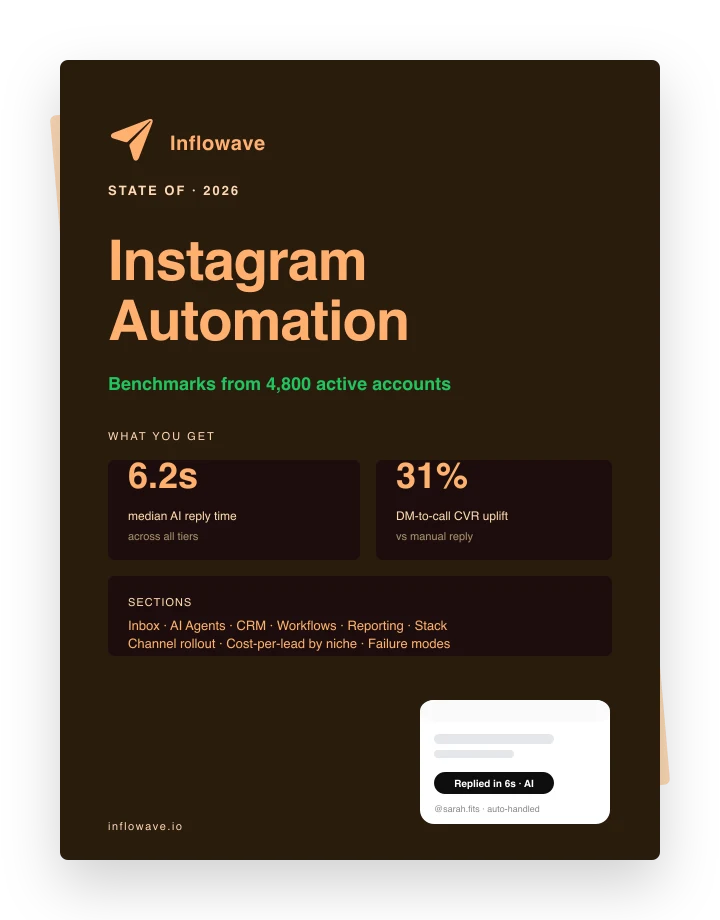
Median reply times, DM-to-call CVR uplift, and channel mix from 4,800 active automated accounts. Pulled straight from the platform.