The Agency Workflow Automation Playbook
Why most automation tools require engineers, and how Inflowave Workflows lets you describe what you want in plain English and run it across every client you manage.
Why most automation tools never actually get deployed
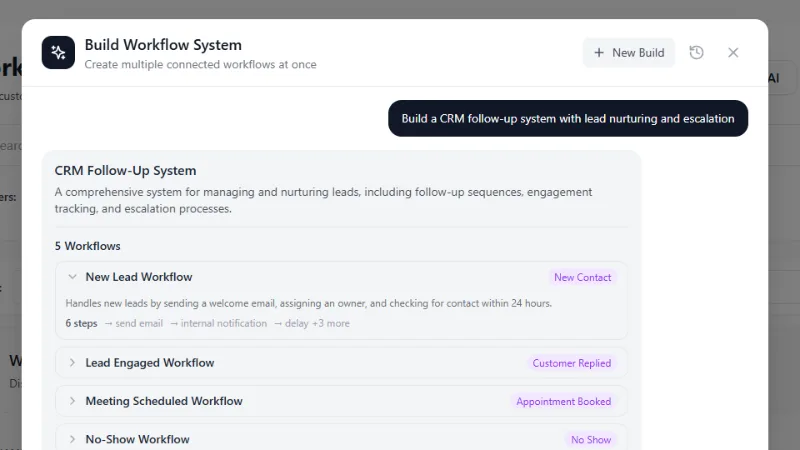
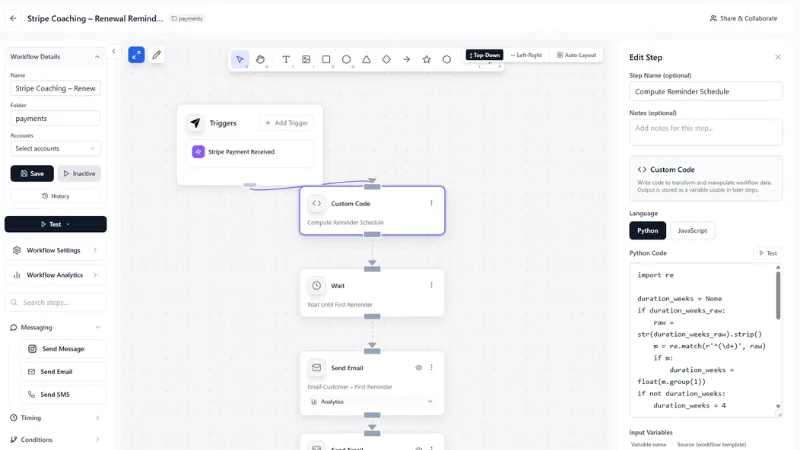
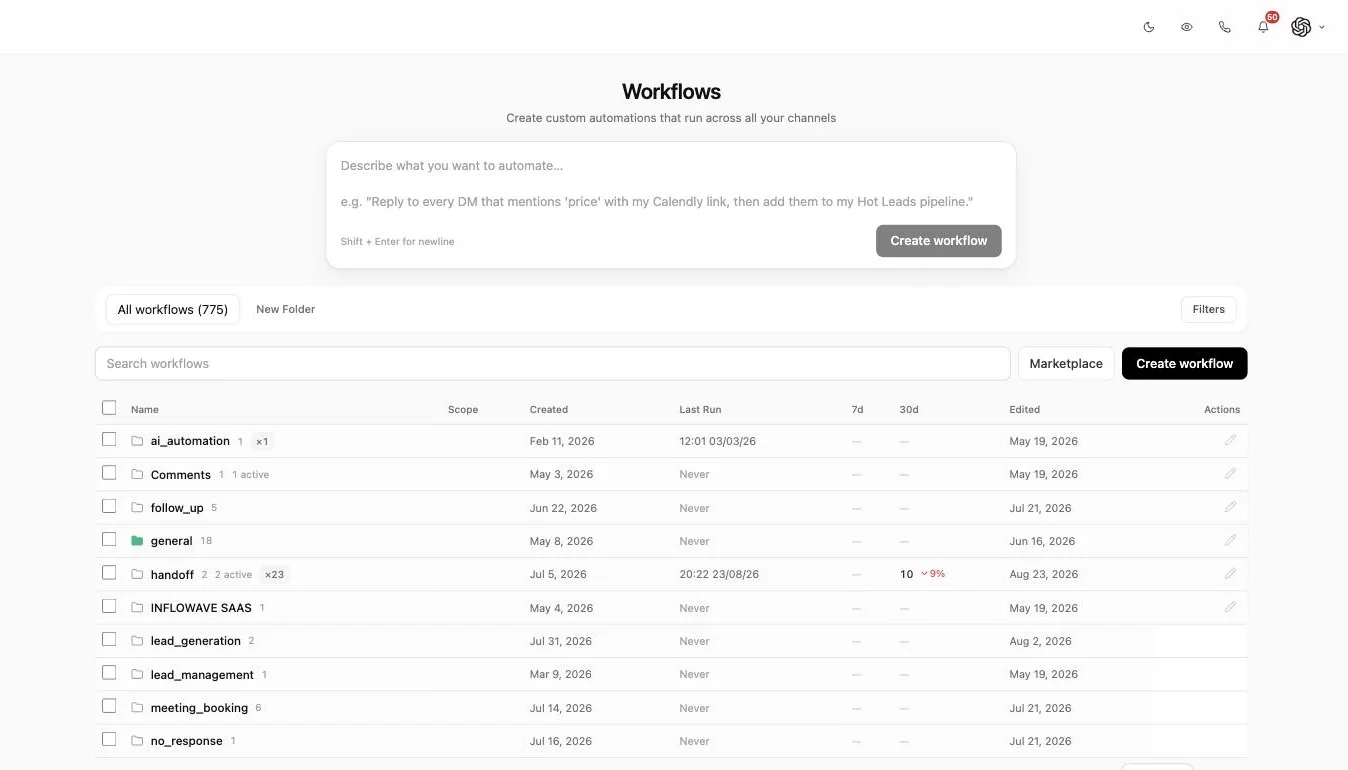
Zapier, Make, n8n, and similar platforms are powerful but require operators to think like engineers - define triggers, map fields, handle errors, debug execution chains. The result is that most Instagram operators sketch a workflow, get 30% of the way through building it, hit a confusing API mapping, and abandon. Manual operations take over again. Inflowave AI Workflows inverts this: describe what you want in plain English ("When a lead asks about pricing in a DM, send the proposal template and notify Sarah on Slack"), the AI generates the workflow graph, you review and activate. The 30-minute build process collapses to 90 seconds.
The plain-English workflow builder
Type or speak your automation: "Every Monday at 9am, pull last week's top-engaging Instagram posts, draft 3 follow-up Reels using the same hook structure, and add them to my content queue for review." The AI translates this into the underlying workflow nodes (cron trigger, Instagram analytics fetch, hook-generator call, content-queue insert), presents the graph for you to inspect, and asks for confirmation. You can edit any node, add conditional logic, or describe modifications in plain English. The builder is collaborative - the AI handles plumbing, you handle business logic decisions.
The 10 most common Instagram automation workflows
Most operators run variations of ten core workflows. New-DM auto-responder with intent classification. Lead-scoring and pipeline-stage assignment on new conversations. Comment-to-DM routing for high-engagement posts. Story-reply nurture sequences. Welcome sequence for new followers. Cart-abandonment recovery for product DMs. Post-purchase onboarding sequence. Re-engagement sequence for dormant leads. Weekly content-performance report generation. Multi-account sync for agencies managing several clients. Inflowave ships with templates for all ten - start from a template, customize, ship.
Conditional logic and branching workflows
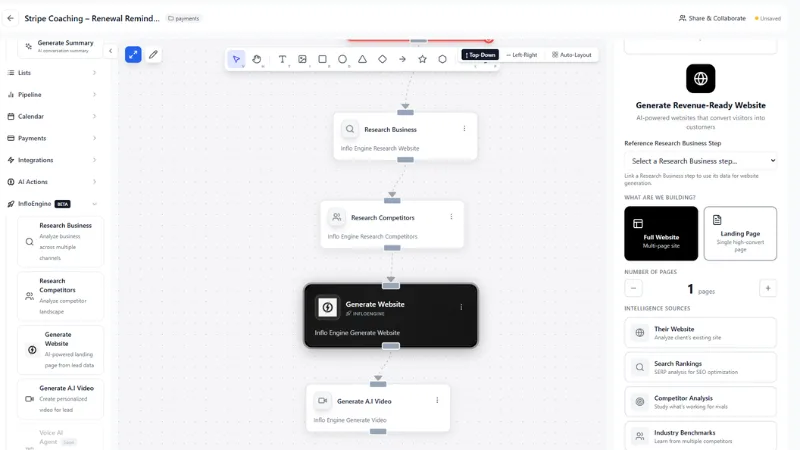
Real workflows aren't linear - they branch based on lead attributes, conversation context, and downstream events. Inflowave AI Workflows supports nested if/then/else logic, parallel branches (do A and B simultaneously), wait conditions (pause for 48 hours unless the lead replies), loop constructs (retry up to 3 times if API fails), and dynamic field-based routing (different actions based on lead's industry, budget, or pipeline stage). The visual builder shows branches as a tree; the plain-English builder generates the right structure based on your description.
AI-powered decision nodes inside workflows
Some workflow decisions are too nuanced for if/then rules. "Should we send this lead to the high-touch sales rep or the self-serve onboarding flow?" depends on conversation context, lead score, profile signals, and historical match against converted customers. Inflowave's workflow nodes can call LLM-powered decisions that read the full lead context and return a structured choice. Decisions made by the AI are logged with reasoning so you can audit why a specific lead got routed where; if the routing seems wrong over time, you can tune the prompt or fall back to deterministic rules.
Trigger types - what can start a workflow
Inflowave supports 180+ trigger types: new DM, new comment, new story reply, new follower, WhatsApp message received, missed call, lead enters pipeline stage, lead matches segment, form submission, link click, email open, SMS reply, calendar event, webhook from external system, scheduled cron, manual trigger, lead score crosses threshold, customer subscription event from Stripe, Shopify order events, and more. Multiple triggers can fire the same workflow ("start this workflow when either A or B happens"). The trigger model is event-driven, so workflows respond in near-real-time rather than polling on a schedule.
Action types - what workflows can do
Actions span every Inflowave subsystem: send DM, send email, send SMS, update lead CRM record, move lead between pipeline stages, add tag, remove tag, add to segment, notify team member on Slack / email, schedule calendar event, generate content using AI, post to Instagram / TikTok / LinkedIn / X, update tracking link, add to retargeting audience, charge a Stripe customer, send webhook to external system, and more. Most workflows chain 5-15 actions; complex multi-step automations can chain 30+ without performance degradation.
Error handling, retries, and observability
Production workflows fail occasionally - Instagram API rate-limits, downstream services have outages, payloads malform. Inflowave handles failure systematically: every action has configurable retry policy (exponential backoff, max 5 retries by default), failed workflows escalate to dead-letter queue for human review, every step is logged with input/output for debugging, and the execution dashboard shows success rates per workflow and per action over time. You catch silently-failing workflows quickly rather than discovering them weeks later when revenue is already lost.
Workflow templates and the agency-share library
The agency tier includes a shared template library where high-performing workflows can be packaged and reused across client accounts. An agency that builds a great cold-DM-to-call workflow for client A can publish it to the library and deploy it to clients B, C, D in seconds. Templates support parameterization (client-specific values get prompted at deploy time) so the same template works for different industries, offers, and Instagram accounts. Most agencies build a library of 20-50 templates over their first year and dramatically reduce per-client onboarding time.
Running the same automation for 10 or 50 clients
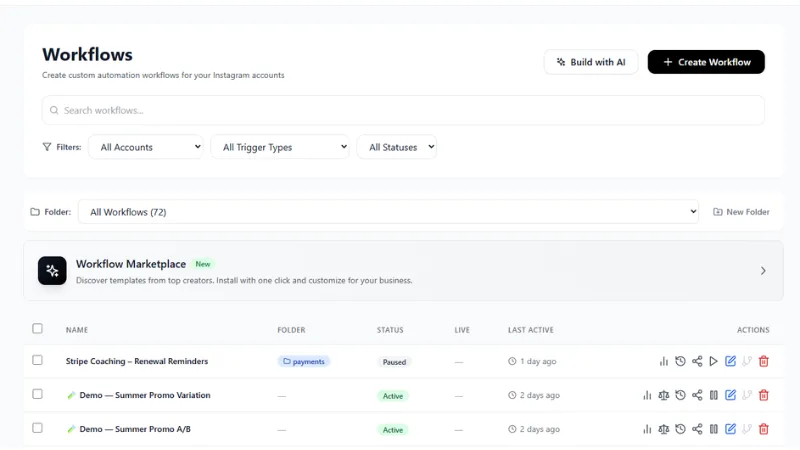
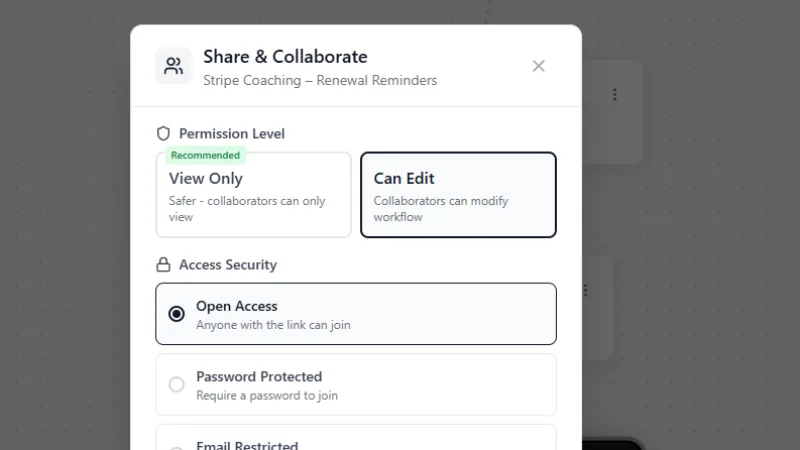
An agency does not want to rebuild the same missed-call text-back or comment-to-DM flow once per client. Inflowave lets you build a workflow in one client's workspace, then copy it directly into another client's workspace in a single action - the copy keeps that client's own connected accounts, leads, and pipeline, so nothing crosses between clients unless you move it there on purpose. Triggers and actions stay scoped to the workspace that owns them. This is the practical difference between a tool built for one account and a tool built for an agency: the thirtieth client costs you one click, not thirty hours.
Zapier, Make, n8n, or Inflowave Workflows
Zapier, Make, and n8n are general-purpose automation platforms: they connect hundreds of unrelated SaaS tools to each other through pre-built or custom connectors, and that breadth is their real strength - if you need to wire Inflowave into fifty other tools you already run, n8n's webhook and call_webhook actions let you do exactly that. What Inflowave Workflows does instead is automate what already lives inside the CRM: a trigger is a DM arriving or a deal changing stage, and an action is replying, tagging, or moving that same record, with no API mapping or field translation in between because it is all one data model. For an agency, that native fit is what makes the per-client copy feature possible - a generic integration platform has no concept of "this client's workspace" to copy into. See the full breakdown in our Inflowave vs n8n comparison.
Workflow analytics - measuring what automation is actually doing
Workflows generate metrics. Inflowave tracks executions per workflow, success rate, average execution time, downstream conversion (did the workflow's intended outcome happen?), and revenue attribution (did closed deals trace back to this workflow?). Most operators discover that 20% of their workflows produce 80% of automation value - and a few workflows are quietly producing zero value but consuming infrastructure. The analytics let you prune the underperformers and double down on the winners.
How AI Workflows fit into the broader operational stack
Workflows are the connective tissue between the rest of Inflowave (CRM, pipeline, messaging, content, ads) and your business logic. A new lead enters the CRM (data layer), workflows fire (logic layer), DMs and emails go out (channel layer), the lead progresses through pipeline (state layer), analytics aggregate (measurement layer). Without workflows, the other layers are disconnected and require human orchestration. With workflows, the system runs itself for 80-90% of routine operations; humans focus on judgment calls, creative decisions, and edge cases. Most operators recover 15-25 hours per week after deploying their first 5 workflows.