YouTube Video Downloader - Free MP4 / Audio (No Watermark)
Paste YouTube URLs and download the source MP4 or audio in seconds. Works for regular videos and Shorts. First download is free; bulk extraction is email-unlock.
One URL per line. Supports videos, Shorts, youtu.be links, and bare 11-char video IDs.
Tip: bulk extraction is rate-limited. For 100+ videos use yt-dlp locally.
How this YouTube downloader works (and when it doesn’t)
When you paste a YouTube URL above, our server fetches the same underlying video data that the YouTube web player uses - public manifest URLs that YouTube itself serves to every browser that plays a video. We do not bypass any login, defeat any DRM, or scrape anything Google hides behind authentication. The downloadable links you see are the actual source streams. That’s why downloads from this tool are bit-perfect to what YouTube serves and contain no watermark of any kind.
What works reliably
Public videos, Shorts, embedded videos, Creative Commons content, and your own uploads. The recommended “Video + Audio (single file)” option returns a 360p or 720p MP4 ready to drop into any video editor. Higher resolutions (1080p, 1440p, 4K) are split into separate video-only and audio-only streams because YouTube delivers them that way - you’ll need ffmpeg or any free video editor to merge them. Audio-only streams come as M4A or Opus, which you can keep as-is or convert to MP3 with a free converter.
What doesn’t work (by design)
Age-restricted videos require a signed-in YouTube account to play; our server has none, so extraction fails with a clear “age_restricted” reason. Private videos, removed videos, and region-locked content also can’t be retrieved. Major-label music videos sometimes return no downloadable formats because the labels request DRM-style restrictions, and YouTube Premium / rented content uses real DRM that no extractor in the world can defeat legally. If a video keeps failing, the answer isn’t a different web tool - it’s either a desktop tool (yt-dlp, 4K Video Downloader) running from your own IP with a signed-in cookie, or accepting that the content isn’t meant to be downloaded.
The legal reality in 2026
YouTube’s Terms of Service technically forbid downloading videos without explicit permission. In practice, individual non-commercial offline viewing is virtually never prosecuted. What does get takedown notices: re-uploading copyrighted videos to another platform, using them in paid products, or monetizing them. If you’re an agency or creator using this tool for client work, only download videos you own, have written permission to use, or that fall under clear fair-use exceptions (short clips for criticism, education, news, parody). When in doubt, contact the creator - most are happy to grant permission for legitimate use.
Recommended desktop fallback tools
If you need to download YouTube videos regularly, install yt-dlp - the most-maintained command-line extractor in 2026, free and open-source. It handles age-gated videos (with your signed-in cookies), bulk queues, format selection, and metadata embedding. For a GUI, 4K Video Downloader is the long-standing favorite on Mac and Windows. Both run from your home IP, so YouTube treats them like a normal browser instead of a rate-limited data-center server.
Mobile workflows
On iOS, the cleanest workflow is the Shortcuts app with a community shortcut like “Download YouTube Video” (search the RoutineHub library). On Android, NewPipe and Seal are free open-source apps that wrap yt-dlp with a touch interface. Our web tool works on mobile browsers too - tap “Download” on any format and your phone will save it to Files / Downloads as a normal MP4 you can share to any other app.
When Inflowave fits
This free tool is a utility for one-off saves. If you’re running an agency that needs to track competitor video content across YouTube + Instagram + TikTok + Meta Ad Library, tag everything, and share libraries across a team, that’s what Inflowave’s competitor-intel module is built for. For a deeper roundup of YouTube downloaders, see our best YouTube video downloader 2026 guide.
Frequently Asked Questions
Is downloading YouTube videos legal?▼
It depends on what you do with the file. Saving a video you uploaded yourself, a Creative Commons video, or a public-domain clip is fully legal. Saving a copyrighted video for offline personal viewing sits in a legal gray zone in most countries - technically against YouTube's Terms of Service, but rarely prosecuted for individual non-commercial use. Re-uploading the file to another platform, monetizing it, or using it in a paid product is copyright infringement and can get you a takedown notice or worse. The safest workflow is to use this tool only for videos you own, have permission to use, or fall under fair use (short clips for criticism, education, parody, or news commentary).
Why did my video fail to extract?▼
Four common reasons. (1) The video is age-restricted - YouTube requires a signed-in account to play it, and our server has no account. (2) The video is private or has been removed by the uploader. (3) YouTube's anti-bot system temporarily blocked our server's IP because too many people are using the tool right now - wait a minute and try again. (4) Copyrighted music videos and major-label content sometimes return no downloadable streams by design. If a video keeps failing, fall back to yt-dlp on your own machine (the most reliable extractor in 2026, since it runs from your IP, not ours).
Does this work for YouTube Shorts?▼
Yes. Paste any Short URL (looks like youtube.com/shorts/<id>) and the tool extracts it just like a normal video. Shorts are technically the same underlying video file - only the player layout differs. The vertical 9:16 aspect ratio is preserved in the downloaded MP4. If you want the Short without the surrounding YouTube watermark, choose the highest resolution video+audio combined format; the watermark is overlaid only in YouTube's player, not burned into the source file.
How do I download just the audio (MP3)?▼
In the results card for each video, expand "Audio only (MP3 alternative)" to see audio-only streams. YouTube serves audio as M4A or WebM/Opus, not MP3 - the labels say so. To convert to MP3 after download, drop the file into a free converter like CloudConvert or use ffmpeg locally (ffmpeg -i input.m4a output.mp3). If you need MP3 directly, yt-dlp with the --extract-audio --audio-format mp3 flags does it in one step.
Why is there an email gate at 2+ videos?▼
Because hosting this tool costs real money - every extraction hits a Netlify function, which pulls video metadata from YouTube and uses our IP's rate budget. We chose to keep the first download completely free so you can verify it works, then ask for an email if you want to extract more in a session. The email also gets you our weekly newsletter on content creator tools - opt-out anytime, we don't sell your address.
Is there a download limit per day?▼
No hard cap per visitor, but our server is rate-limited to one extraction every 3 seconds per IP (to avoid YouTube blocking our IP entirely). If you need to bulk-download 100+ videos, run yt-dlp on your own machine instead - it uses your residential IP, which YouTube treats more leniently than a data-center IP, and it ships with a queue system that handles retries automatically.
What's the difference between this and a desktop tool like 4K Video Downloader?▼
Desktop tools (4K Video Downloader, JDownloader, yt-dlp) run from your home network, so YouTube treats them like a normal user - they almost never get IP-blocked, they can handle age-restricted videos if you sign in, and they're faster on large files because nothing is proxied through a third-party server. Web tools like this one are convenient (zero install, works on any device), but they hit YouTube from a data-center IP, which is rate-limited and occasionally blocked. The right call: use this for a quick one-off save on a phone or borrowed computer; install yt-dlp if you download videos regularly.
Can I download YouTube Premium content or paid videos?▼
No. YouTube Premium content, rented movies, and paid memberships use DRM (encrypted streams) that no extractor can defeat without breaking the law in most jurisdictions. If a video requires payment or a Premium subscription to watch, the tool will return "Couldn't extract" and you should not try to circumvent it. The same applies to YouTube Music premium tracks - buy them or stream them, don't pirate them.
Need a real content-research pipeline?
Inflowave tracks competitor videos across YouTube, Instagram, TikTok, and Meta Ad Library - tagged, shareable, and kept forever even if the source disappears.
When and how to legally download YouTube videos
Downloading YouTube videos sits in a complicated legal area that most quick-tutorial articles oversimplify. YouTube's Terms of Service prohibit downloads except via the YouTube app's offline feature or where the rights holder has explicitly enabled downloads. Beyond YouTube's terms, copyright law gives the original creator exclusive rights to distribution of their work.
That said, there are legitimate use cases. Researchers and journalists working with public-interest content often have fair use protection. Educators incorporating short clips into teaching materials usually have a defensible position. Creators downloading their own uploaded videos have clear rights. Public domain content (older government recordings, expired copyrights) can be downloaded freely.
The safe rule of thumb: if you would feel comfortable showing the downloaded content to the original creator and explaining why you downloaded it, you're probably fine. If you would feel awkward or defensive, you probably shouldn't.
Use cases this tool was actually built for
This downloader serves a few clear needs. Content creators researching their own back-catalogue or backing up their uploads. Agencies analysing competitor or industry creator content for research and benchmark purposes. Educators downloading content that's explicitly licensed for offline use. Journalists archiving public-figure videos for citation in reporting.
What it isn't built for: redistribution of copyrighted material, removal of watermarks for reuse without attribution, or bulk scraping of creator content for AI training without consent. Those uses are both legally risky and ethically questionable.
Quality and format considerations
YouTube videos are typically available in multiple resolutions: 144p, 240p, 360p, 480p, 720p, 1080p, and sometimes 1440p or 4K. The download size scales roughly linearly with resolution and length. A 1080p hour-long video can be 500MB to 2GB depending on the video's bitrate and codec.
Most users only need 720p or 1080p for routine purposes. Higher resolutions matter for archival or for content that will be re-cut into other productions. Audio-only downloads (MP3 or similar) are valuable for podcasts and voiceover work where the video portion isn't needed.
FAQ
Can I download YouTube Shorts?
Yes, Shorts work the same way as standard YouTube videos. Quality options are typically limited to 1080p vertical since that's the maximum native Shorts resolution.
Why does the downloaded video have lower quality than what I see on YouTube?
YouTube serves different streams to different viewers based on connection quality. The download tool requests the highest available resolution, but if YouTube doesn't have the higher resolution cached for that video, the download defaults to the highest available.
Can I download private videos?
No. Private videos require authentication that the tool doesn't have. Even unlisted videos that are technically accessible via direct URL require the URL itself; the tool can't enumerate private content.
Does YouTube notify creators when their videos are downloaded?
No, downloads don't trigger any creator-facing notification. Creators can see view counts but not download events.
Are there bandwidth or quota limits?
Yes, to prevent abuse. Heavy bulk downloading is rate-limited; occasional downloads of individual videos work without limits.
Can I download YouTube live streams?
Live streams typically need to finish before they can be downloaded. Once YouTube transcodes the stream into a regular video, the URL works in the downloader. Premieres work the same way.
Why do age-restricted videos sometimes fail?
YouTube requires authentication for age-restricted content. The downloader can't perform that authentication, so age-restricted videos return an error.
Can I download only the audio track?
Yes. Most downloaders let you select audio-only output as a separate format. Audio downloads are useful for podcasts, voiceover work, and music when the video itself is incidental to the content.
Does the downloaded file have the same metadata as the original?
The title and uploader information are preserved in the file metadata. Other YouTube-specific metadata (description, tags, comments) isn't carried into the downloaded file.
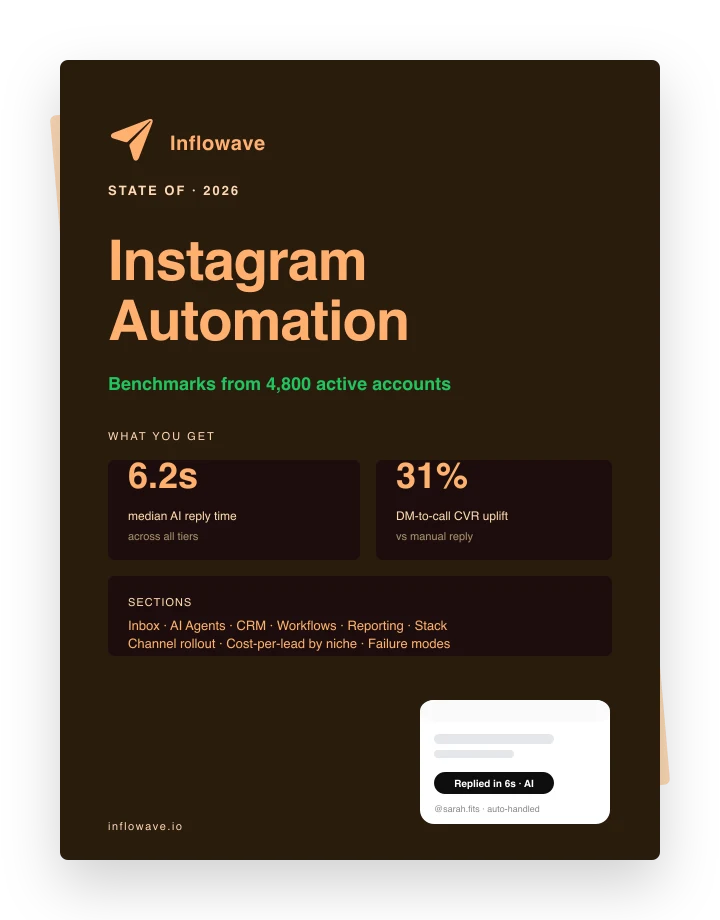
The Automation Benchmarks Are In
Median reply times, DM-to-call CVR uplift, and channel mix from 4,800 active automated accounts. Pulled straight from the platform.