
Every advertiser hits the same wall eventually. An ad account is restricted, a payment won't go through, or a Page disappears, and Meta's help articles don't cover your case. You need a person, and Meta doesn't make that obvious.
There is a way in. This guide shows where Meta Business Support actually lives, which route gets you to a human, what to have ready so the chat goes somewhere, and how to spot the fake "Meta Business Support" messages that target exactly the people searching for help.
The short version
| Route | Who can use it | What you get |
|---|---|---|
| Meta AI support assistant in Business Support Home | Every advertiser, free | Answers, status checks, help with reviews; hands you to a person when it can't solve it |
| Contact support in Business Support Home | Advertisers Meta decides are eligible | Chat or email with a support agent |
| Meta Verified for Business | Paying subscribers with verified businesses | Access to support agents, with more on higher plans |
| A Meta account representative | Larger advertisers and Meta partners | A named contact |
| Phone | Not available for ads support in general | Numbers found on random websites are a scam risk |
Everything real starts in one place: Meta Business Support Home.
Where Meta Business Support lives
Go to business.facebook.com/business-support-home on a computer. The old links people share (facebook.com/business/help/support and business.facebook.com/accountquality) now land there too.
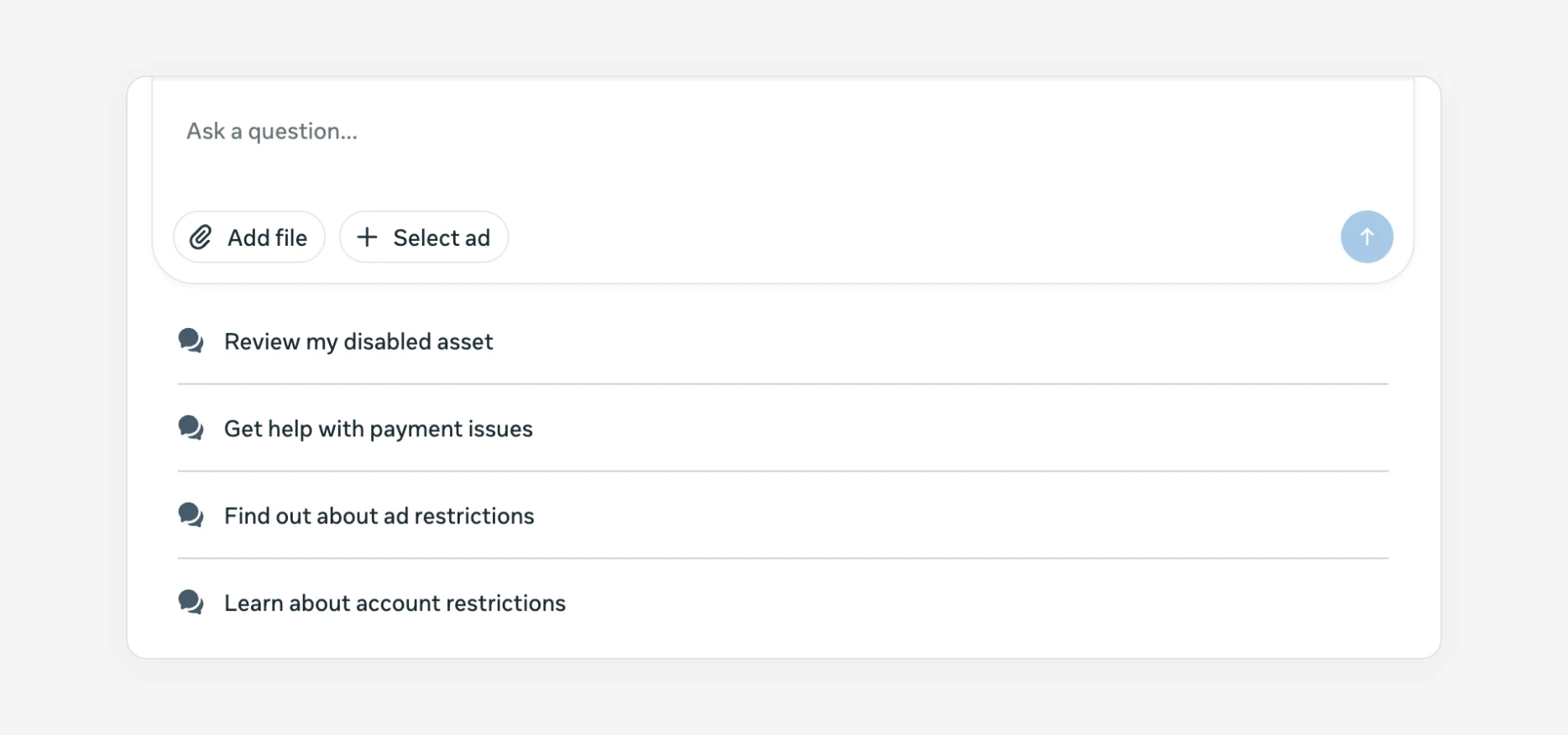
At the top is Meta's AI assistant, with shortcuts for the most common problems:
Below it, Recent account issues lists every restricted ad account, Page or portfolio you manage. Start there before you contact anyone, because the fix is often a button on that list (pay a balance, request a review). If your issue is a restricted or disabled ad account, our guide to getting a disabled Meta ad account back covers that path step by step.
How to reach a person
1. Start with the assistant, and be specific
The assistant is the front door for everyone now. It can check the status of an asset, explain a restriction, and start a review. Pick the ad account or Page in the selector first, then describe the problem in one or two sentences with the exact error message. When it can't resolve something, it offers to pass you on.
2. Use Contact support
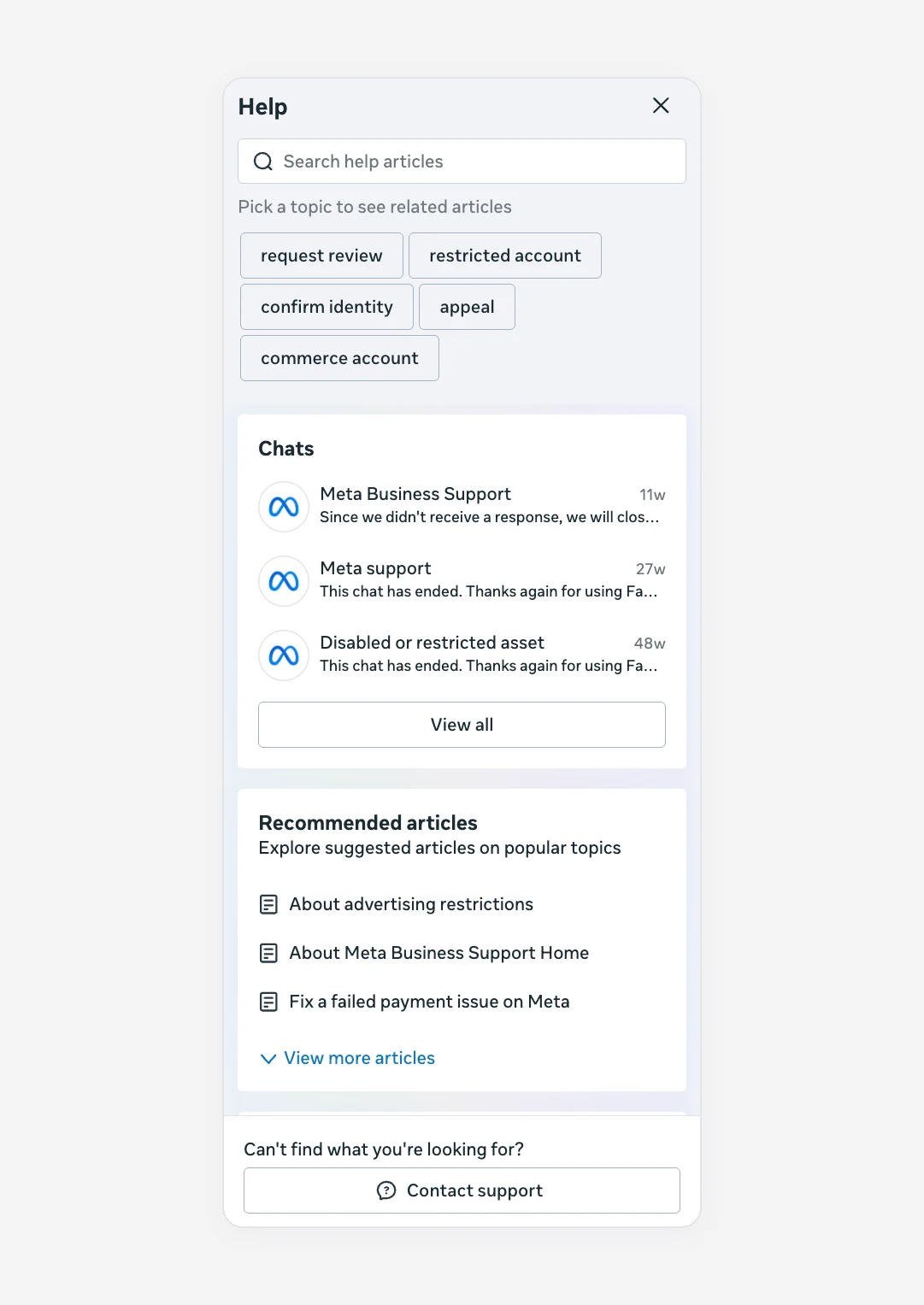
Click the ? (Help) icon at the bottom left of Business Support Home. The panel shows your past support chats, suggested articles and, at the bottom, Contact support:
Contact support asks you to describe the issue first:
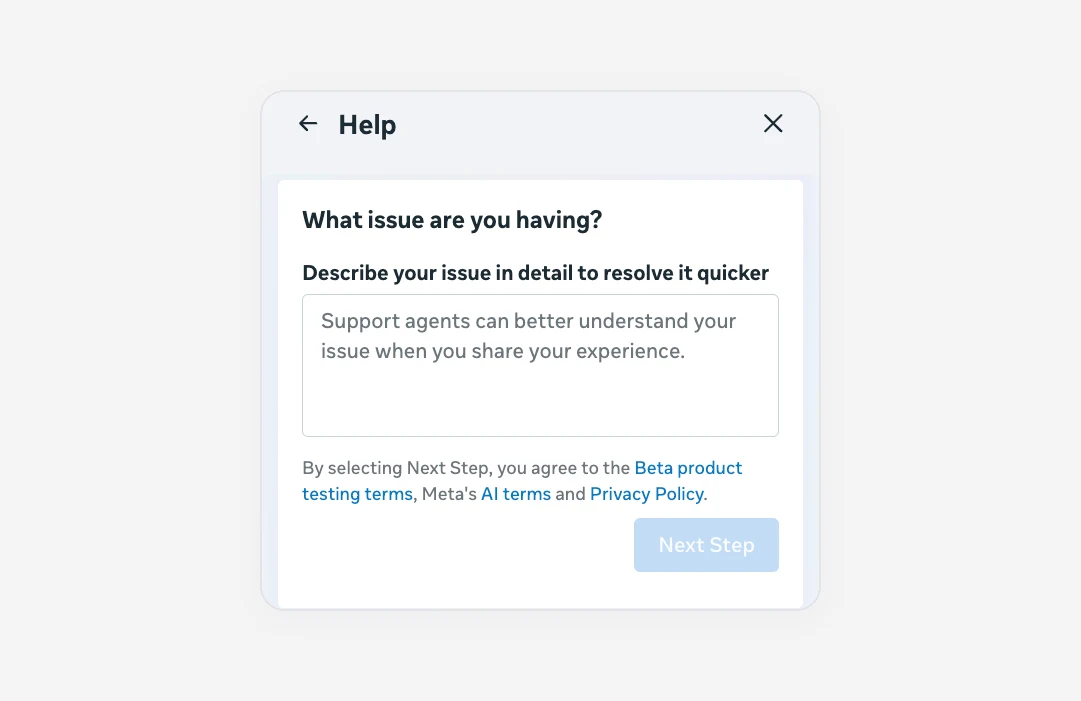
What appears after Next Step depends on Meta's view of your account. Advertisers with a spending history usually see a chat or email option with an agent. Brand new accounts often only get articles and the assistant. Meta doesn't publish the exact rules.
Two tips that make a real difference:
- Reply quickly. Support chats close when you don't answer. The "Since we didn't receive a response, we will close..." line in the panel above is what that looks like, and a closed chat means starting again.
- Keep it to one issue per chat, and note the case number so you can refer back to it.
3. Meta Verified for Business
Meta Verified is a paid subscription for verified businesses. Its business plans include access to support agents, and higher plans add faster responses and extras such as callback requests. Prices and plans vary by country, and it isn't available everywhere.
It's worth it if you rely on Meta ads and keep failing to get a person. It isn't a way to overturn a decision: a subscription doesn't reverse a restriction or skip a review.
4. Account representatives and partners
Larger advertisers are often assigned a Meta representative, and Meta Business Partners (certified agencies) have their own support channels. If you work with an agency that's a Meta partner, ask them to raise the case. It's often the fastest route for a stuck review.
Is there a Meta Business Support phone number?
Not for ads support in general. Meta handles advertiser support through chat and email inside Business Support Home. Some higher Meta Verified business plans offer callbacks, which Meta starts, not you.
The number that comes up most often, +1 650 543 4800, is Meta's head office line in Menlo Park, and it can't help with ad accounts. Be careful with "Meta support" phone numbers on other websites, forums and ads. They're a common way to get people to hand over login codes or pay for fake "recovery services".
Before you contact support, have this ready
| Have ready | Where to find it |
|---|---|
| Ad account ID | Ads Manager, the account dropdown |
| Business portfolio ID | Meta Business Suite, Settings, Business info |
| The exact message Meta shows | Screenshot of the restriction page |
| When it started and what changed just before | New admin, new card, new campaign, spend increase |
| What you've already tried | Balance paid, ads edited, review requested and when |
Agents can act on IDs and dates. "My account is broken, please fix" gets an article link.
Fake "Meta Business Support" messages
The people searching for Meta support are exactly who scammers target. The pattern hasn't changed in years:
- a Messenger message, email or Page comment from "Meta Business Support", "Page Appeals", "Meta Verified Support" or similar
- a claim that your Page broke a rule, often copyright or impersonation
- a deadline of 24 or 48 hours before the Page is "permanently deleted"
- a link to "appeal" or "verify", a PDF "violation report", or a phone number to call
Meta doesn't ask for passwords, login codes or payment details in messages, and it doesn't send appeal links through Messenger. Real notices show up inside your account: in Business Support Home, Ads Manager, your Page's notifications and your Support Inbox. If a message says something is wrong, go to Business Support Home yourself (don't use the link) and check. If you've already entered your password on a link like this, change it immediately, turn on two-factor authentication and check which apps have access in your Facebook settings.
Questions people ask
Does Meta Business Support have live chat?
Yes, for advertisers Meta considers eligible. You reach it through Contact support in the Help panel of Business Support Home. If no chat option appears, start with the AI assistant, which can hand you to a person.
What is the Meta Business Support email?
Meta doesn't publish an inbox you can write to. Email support is opened from inside Business Support Home, and replies come to your Support Inbox and the email on your account. Treat messages claiming to be from Meta support with suspicion unless they also show up inside your account.
Why can't I see a Contact support option?
Usually because the account is new or has little spending history, or because you're logged in with a profile that isn't an admin of the affected asset. Switch to an admin profile, or ask the business owner to contact support.
Can Meta support reverse a disabled ad account?
Support can explain the decision and make sure a review is properly filed, but the review team makes the decision. A clear, well-evidenced review request matters more than which channel you used. See how to get a disabled Meta ad account back.
