Get your Instagram URL in one click
Paste your username and get the proper profile link, mobile deep-link, QR code, and share buttons.
Letters, numbers, periods, and underscores. Up to 30 characters.
What is an Instagram URL?
An Instagram URL is the public web address that points to a profile, post, reel, or story on Instagram. The most common one - the profile URL - follows a fixed pattern: https://www.instagram.com/username/. Replace "username" with the actual handle (without the @ sign), and you have a working link that opens that account on any browser.
Instagram launched in October 2010, and the URL format has stayed essentially the same ever since. The platform was acquired by Facebook (now Meta) in 2012, and even after a decade of design overhauls, deep-link standards, and the rollout of Reels, the public profile URL is still username-based and predictable. That is why this tool can build the URL for you in real time, with no API call needed - the format is a contract Instagram has not broken.
There are a few common variations you should know. The "short" URL instagram.com/username (without https:// or www.) works in most browsers because Instagram redirects it, but it is not technically clickable in many tools - Notion, email clients, and Slack often only auto-detect URLs that start with https://. Always use the full https://www.instagram.com/username/ form when sharing in apps where you want the link to be clickable.
How to find your Instagram URL on the app
On the Instagram mobile app, your URL is not displayed directly anywhere. Instead, your username is. To get your URL: tap your profile tab (bottom right), look at the username at the top of the screen, then prepend https://www.instagram.com/ to it and append a forward slash. So if your username shows as "your.handle" your URL is https://www.instagram.com/your.handle/.
A faster way: tap the menu (three lines, top right) and tap "QR code". Instagram generates a personalized QR code that, when scanned, opens your profile. You can also tap "Share profile" from the same menu, which copies a link to your clipboard - that is the cleanest way to get your URL on mobile.
How to find your Instagram URL on the web
Open instagram.com in any browser. Log in if you have not already. Click your profile picture in the top-right corner. The browser address bar will now show your full Instagram URL - copy it directly from there. This is the cleanest source for the canonical URL because it is exactly what Instagram serves.
Where to use your Instagram URL
Email signatures, business cards, Linktree-style bio pages, Facebook pages, LinkedIn profiles, your own website footer, podcast show notes, YouTube descriptions, GitHub READMEs - anywhere you want a one-click path from another platform back to your Instagram. For physical materials like business cards or event banners, pair the URL with a QR code so people can scan instead of typing.
For agencies and creators sharing client links at scale, consider a branded short URL (yourbrand.inflowave.io/clientname) instead of the raw Instagram URL. Branded short URLs let you track every click, swap destinations later without reprinting collateral, and look more professional in pitches and proposals. Generic shorteners like bit.ly work but lose your brand and lump every click into one anonymous bucket.
Common mistakes to avoid
Do not include the @ sign in your URL - Instagram will treat the @ as part of the username and load a 404. Do not use uppercase letters in URLs you intend to share; while Instagram is case-insensitive when resolving, some link-checkers and tracking tools treat uppercase and lowercase as different URLs and split your analytics. Do not paste a post URL (instagram.com/p/abc123/) when you mean your profile URL - they look similar but go to entirely different places. And do not include hash fragments or query parameters; they are ignored by Instagram and only confuse downstream link-trackers.
Tips for using your Instagram URL
On business cards
Use the QR code instead of the typed URL. People scan in seconds, no typos. Pair it with @yourhandle for context.
In email signatures
Link the Instagram icon to your full https:// URL. Most email clients respect anchor tags and render it cleanly.
On your website
Add rel="me" to your Instagram link. It is a long-standing identity standard that some platforms use to verify accounts and improve SEO.
In your link-in-bio
A link-in-bio page lets you point to multiple destinations from a single URL - useful when Instagram only allows one clickable bio link.
For QR codes
Use the URL form, not the deep-link form. Camera apps can open https:// URLs but very few support raw instagram:// schemes.
For tracking
Wrap your Instagram URL in a tracked link to see exactly which campaigns, emails, or posts drive followers to your profile.
Related Inflowave tools
Free utilities and resources to help you grow your Instagram presence.
Frequently Asked Questions
How do I find my Instagram URL?▼
On the web: open instagram.com, log in, and click your profile picture in the top right. The URL in your browser address bar - usually https://www.instagram.com/yourusername/ - is your Instagram URL. On mobile: open the Instagram app, tap your profile tab, tap the three lines, then tap "QR code" to share or scroll up to copy your username, then prepend https://www.instagram.com/ to it. Or just paste your username into this tool above.
What does an Instagram URL look like?▼
A standard Instagram profile URL has the format https://www.instagram.com/username/ where "username" is your handle (without the @). The trailing slash is optional but recommended for consistency. Older URLs without "www." (like https://instagram.com/username) also work - Instagram redirects them automatically.
Why is my Instagram link different from someone else's?▼
Profile URLs always follow the same pattern: instagram.com/username. What you might see is a post URL (instagram.com/p/abc123/), a reel URL (instagram.com/reel/abc123/), a story URL (instagram.com/stories/username/123/), or a direct DM link (ig.me/m/username). All of these are different from a simple profile URL.
How do I make a clickable Instagram link?▼
Most platforms - email, websites, Notion, Slack, LinkedIn - auto-detect URLs and make them clickable as long as they start with https://. So always use the full https://www.instagram.com/username/ form, not just instagram.com/username or @username. On platforms that don't auto-link (like Instagram bio itself), you only get one clickable link, which is why "link in bio" tools exist.
What is the mobile deep-link for Instagram?▼
The Instagram deep-link is instagram://user?username=USERNAME. When tapped on a phone with the Instagram app installed, this opens the profile directly inside the app instead of the mobile browser. Use it for in-app launchers, push notifications, or app-only campaigns. Web browsers do not understand instagram:// links, so always pair them with a fallback web URL.
Why does my Instagram URL show with weird characters?▼
If you see %20, %2E, or other percent-encoded characters in your URL, it means a username got URL-encoded (often by mistake). Instagram usernames only allow letters, numbers, periods (.), and underscores (_) - none of these need encoding. If your URL looks weird, double-check the username for hidden spaces or unsupported characters.
Can I shorten my Instagram URL?▼
Yes - for business cards, signatures, or tracked campaigns, shortening your IG URL is common. Use a link-in-bio tool like Inflowave Links to get a short, branded URL (yourname.inflowave.io or your own custom domain) that redirects to your Instagram profile and tracks every click. Generic shorteners like bit.ly also work but lose your brand.
What is the maximum length of an Instagram username?▼
Instagram usernames can be 1 to 30 characters long. Allowed: lowercase letters (a-z), numbers (0-9), periods (.), and underscores (_). Not allowed: spaces, capital letters in URLs (Instagram lowercases them), and special characters. Usernames are case-insensitive in URLs - Cristiano and cristiano resolve to the same profile.
The tool is free. Inflowave is the CRM behind it.
If you handle DMs for a business or for client accounts, Inflowave puts every DM, comment and lead in one inbox with a pipeline behind it. Plans are $149 a month for one business and $297 once you run client accounts. Every plan has a 7-day trial.
Related reading
Guides that go deeper on what this tool measures.
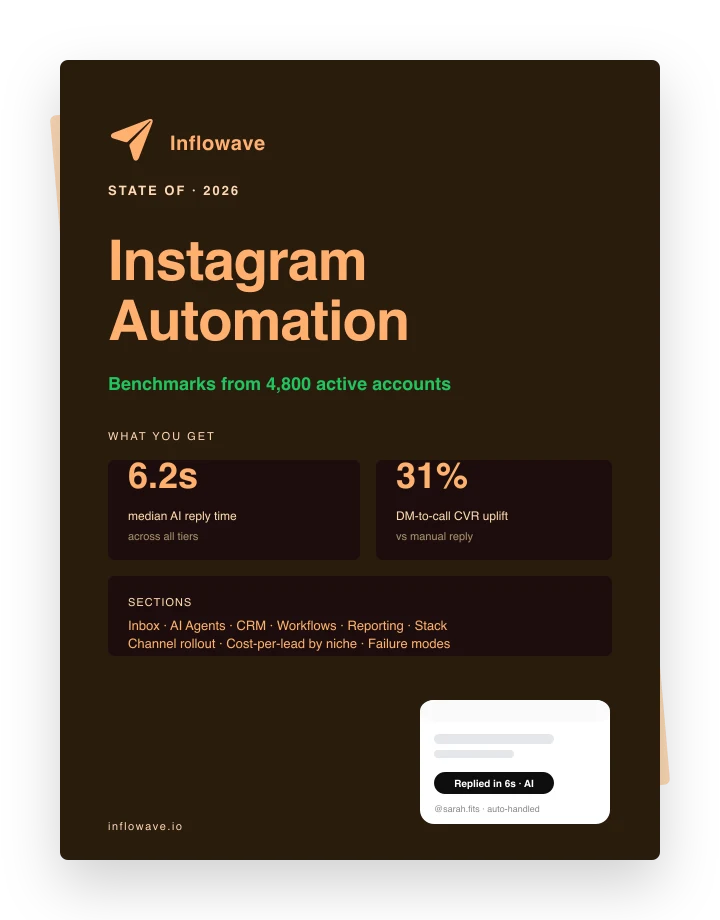
The Automation Benchmarks Are In
Median reply times, DM-to-call CVR uplift, and channel mix from 4,800 active automated accounts. Pulled straight from the platform.