If you run Meta ads for clients, the platform you keep the data in matters more than the platform you build the funnels in. Funnels are a one-off cost. Reporting is a thing you do every month, in front of a client who is deciding whether to renew.
This page compares Inflowave and GoHighLevel on that one job: what each one stores from Meta, what it can tell you about a campaign six months later, and what a client can see for themselves.
It is written by Inflowave, so read it with that in mind. Every GoHighLevel capability, limit and price below is drawn from GoHighLevel's own help articles, pricing page or homepage, linked at the end. Where we characterise their ecosystem or community rather than a documented feature, that is our opinion and is not sourced. Every Inflowave number is either a schema fact you can ask us to show you or a labelled production sample with its date, size and scope attached. Pricing on both sides was read from each vendor's live pricing page on 15 September 2026.
The short answer
GoHighLevel treats ads as an acquisition channel feeding a CRM. It reads the campaign, ad set and ad a lead came from, mostly through UTM parameters and the Meta pixel, and reports on the leads and revenue that resulted. Its Ad Manager adds campaign creation across Facebook, Instagram, Google and LinkedIn, plus a documented set of fourteen performance metrics.
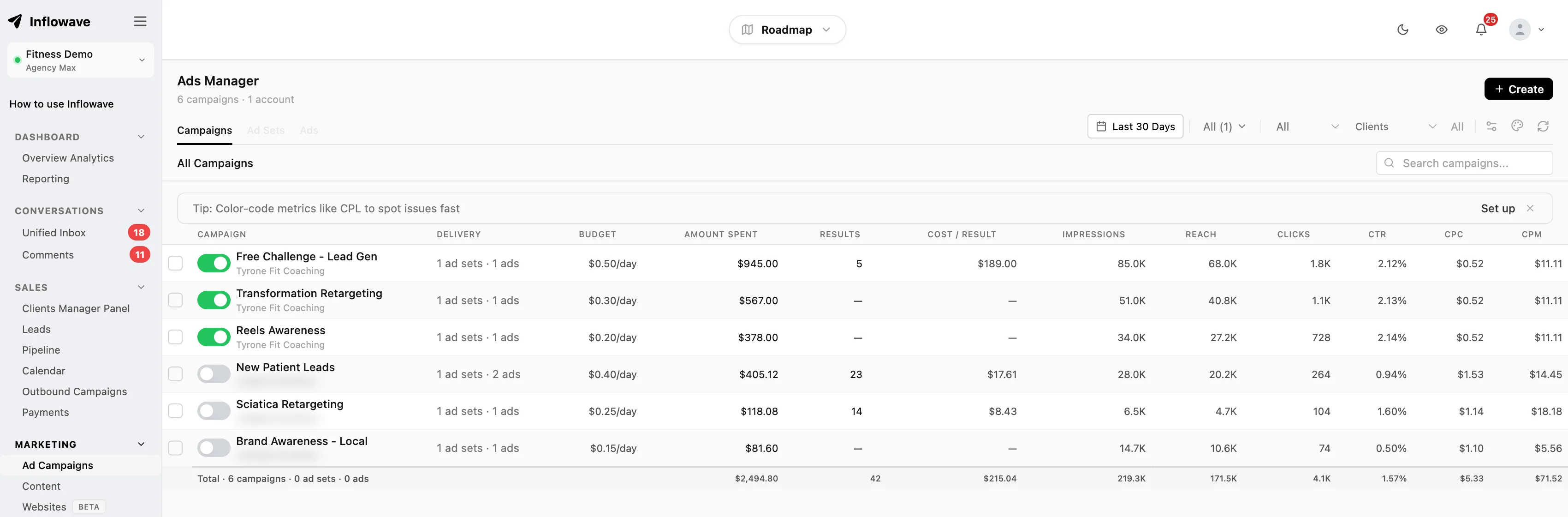
Inflowave treats Meta ads as a warehousing problem. It pulls the Meta Insights API at account, campaign, ad set and ad level, stores a wide row per object per day, keeps its own copy of every creative file, and joins the ad to the lead and then to the closed deal. It is Meta only.
Both are reasonable designs and they are optimised for different questions. GoHighLevel is cheaper per client and broader across channels. Inflowave goes deeper on one channel. Most of this page is about where that depth does and does not matter.
Where GoHighLevel is the better answer
Taking this first, because it may settle the question and there is no point burying it.
Multi-platform ads. Ad Manager covers Google and LinkedIn as well as Meta. Inflowave's ads depth is Meta only. If a material share of your spend is Google, that is decisive and nothing below changes it.
Sub-account economics. GoHighLevel's Unlimited plan is $297 per month billed monthly, with unlimited sub-accounts. Inflowave's Pro plan is $297 per month billed monthly, and includes ten client workspaces. If you run thirty small clients on thin retainers, GoHighLevel is simply the cheaper model and the gap widens with every client you add.
Ecosystem and maturity. GoHighLevel has been established far longer, with a much larger third-party integration library, an active snapshot marketplace and a mature reseller community. If your workflow depends on a niche integration, it is more likely to exist there.
Community and hiring. There is a large body of tutorials, templates and contractors built up around GoHighLevel, which makes staffing a team on it easier.
Courses and memberships. GoHighLevel ships these natively. Inflowave does not.
If any of those are your binding constraint, GoHighLevel is the right choice and this page will not talk you out of it. Our broader GoHighLevel review and the alternatives roundup go further into the trade-offs.
What GoHighLevel documents about Meta data
Two separate systems, worth keeping straight.
Ad reporting and attribution. GoHighLevel's own setup guide is direct about the mechanism: the system "tries its best to attribute the ad and ad-set where the lead was driven from", and recommends you add Facebook UTM parameters, the pixel and the Conversions API in workflows to make it work. The tracked parameters are campaign source set to fb_ad, campaign medium as the ad set name, campaign name, campaign content as the ad name, campaign ID, fbclid, gclid and referrer.
Three documented constraints follow from carrying attribution on the URL. They are worth knowing before you commit, because each one bites in ongoing use rather than during setup:
- Campaign, ad set and ad names "need to be unique", and "the name parameters can't be changed during the lifetime of the campaign / Ad-set / Ad". If you rename an ad set mid-flight, GoHighLevel's guide says the CRM data "will keep referring to the original / first campaign". If renaming ad sets is part of your testing convention, that convention has to change.
- First-touch attribution is recorded for a fixed list of entry points: form submissions, survey submissions, calendar, Facebook lead forms, two step order forms, the chat widget, and inbound calls. Inbound calls are qualified further: they work for click-to-call, and not when a lead dials a number pool directly.
- Anything that strips or mangles the query string breaks attribution. The guide warns against special characters and emojis in UTM parameters, and notes Facebook does not append UTMs when you are viewing an ad as a preview.
Ad Manager. The newer piece. It lets you create and manage Facebook, Instagram, Google and LinkedIn campaigns from inside a sub-account, and it has a Statistics tab. The documented metrics are clicks, revenue, ROI percent, CPC, CTR, sales, CPS, leads, results, CPL, impressions, spend, reach and frequency, with ad set and ad level visibility and a custom date range. Campaign creation is capped at ten ad sets per campaign and ten ads per ad set, with images up to 8MB and video up to 1GB. Meta ad widgets can be dropped into any dashboard to show clicks, conversions, spend and top campaigns.
That is a competent set. If your reporting question is "how many leads, and what did they cost", it answers it.
The part that is not about either vendor: Meta's clock
Before comparing feature lists, the constraint that outlives whichever platform you pick.
Meta's own Marketing API reference states that date_preset = maximum "returns a maximum of 37 months of data" and that "the start date of the time range cannot be beyond 37 months from the current date". Anything older is gone from the API, whichever tool you query it with.
There is a second, tighter limit. Since 10 June 2025, Meta no longer returns reach for standard queries that apply breakdowns with a start date more than thirteen months old. To get it, you have to use asynchronous jobs, capped at ten requests per ad account per day.
The practical consequence is the same for every tool on the market. If a client has been with you for three years and asks how this year's Q3 compares to their first Q3, nobody can fetch that answer today. It exists only if something wrote it down at the time. Whichever platform you end up on, the day you start warehousing is the day your history starts, and the cheapest version of that decision is making it early.
Inflowave's oldest stored daily metric row is dated 28 March 2023, which is already outside Meta's thirty-seven month window (Inflowave production sample of 107,267 daily metric rows, to 15 September 2026, across all connected ad accounts on the platform). That is not a feature claim so much as a demonstration of what warehousing buys: no integration can retrieve that row now.
Field depth: what the row actually holds
GoHighLevel documents fourteen metrics in Ad Manager's Statistics tab. Inflowave writes one row per object per day into a table with fifty-eight columns, forty-six of which are performance metrics rather than keys, timestamps or stored payloads. That schema is a fact about the database, not a marketing round number, and it is the easiest claim on this page to falsify: ask us to show you the table.
The columns cover impressions, reach, clicks, unique clicks, spend, CTR, CPC, CPM, CPP, frequency, conversions, conversion value, cost per conversion, Meta's three relevance rankings, link clicks, unique link clicks, outbound clicks, unique outbound clicks, inline link clicks, landing page views, leads, purchases, registrations, submitted applications, five separate cost-per figures covering link clicks, outbound clicks, inline link clicks, landing page views and leads, three separate click-through rates, the video funnel at 25, 50, 75, 95 and 100 percent plus average time watched, video plays and thru plays, purchase ROAS, social spend, inline post engagement and its cost, the raw Insights payload, and the ad set's attribution setting.
The difference is not the count. It is which questions the count lets you ask.
A blended CPL tells you a campaign got worse. Five separate cost-per figures, for link clicks, outbound clicks, inline link clicks, landing page views and leads, tell you whether people stopped clicking the link or stopped clicking at all. The video funnel tells you whether the hook died at three seconds or the offer died at the end. Meta's three relevance diagnostics tell you whether the auction turned against you rather than your creative. Four outcome types counted separately, rather than blended into one conversion total, tell you whether you bought leads or buyers, though only leads carry a stored cost-per figure.
Storing attribution_setting alongside the numbers is a small thing that saves an argument later. When a client compares your report to their Ads Manager and the numbers differ, one cause is an ad set sitting on a different attribution window. You can only say that if you kept it.
Two caveats a fair reading requires. More fields is only better if somebody looks at them, and a report built on a handful of them is unaffected by the rest. And fifty-eight stored fields do not make a report; they make the report possible. If your team's reporting is a screenshot of spend and leads, GoHighLevel's fourteen will not be what is holding you back.
The creative outlives the ad account
Meta's API returns a creative's thumbnail as a URL. URLs expire, ads get deleted, and ad account access ends when a client leaves.
Inflowave copies every creative file into its own storage on ingest and stores a SHA-256 content hash alongside it, so a re-uploaded file is recognised as the same asset rather than counted twice. In an Inflowave production sample of 1,790 stored creatives, to 15 September 2026, across all connected ad accounts on the platform, every one carried both a stored file path and a content hash. Each creative also links back to the ad it ran on, which is what makes "find every hook we have run for a dentist and how each performed" a query rather than an afternoon in a shared drive.
GoHighLevel's help articles do not describe a creative archive of this kind, and we are not going to read more into that than it supports. Undocumented is not the same as absent, and the sensible move if this matters to you is to ask their support directly rather than take a competitor's word for it.
More on the design in why your creative library should not live in Meta.
From the ad to the closed deal
Both platforms can tell you a lead came from an ad. The gap opens after that.
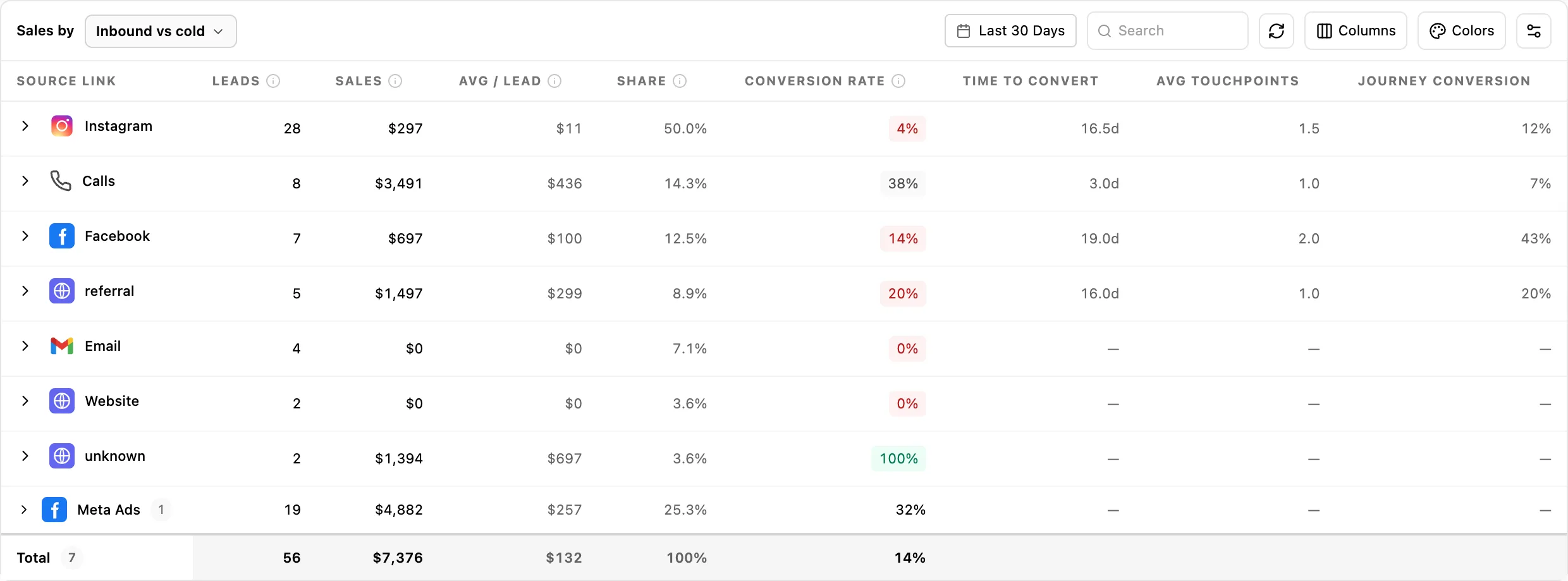
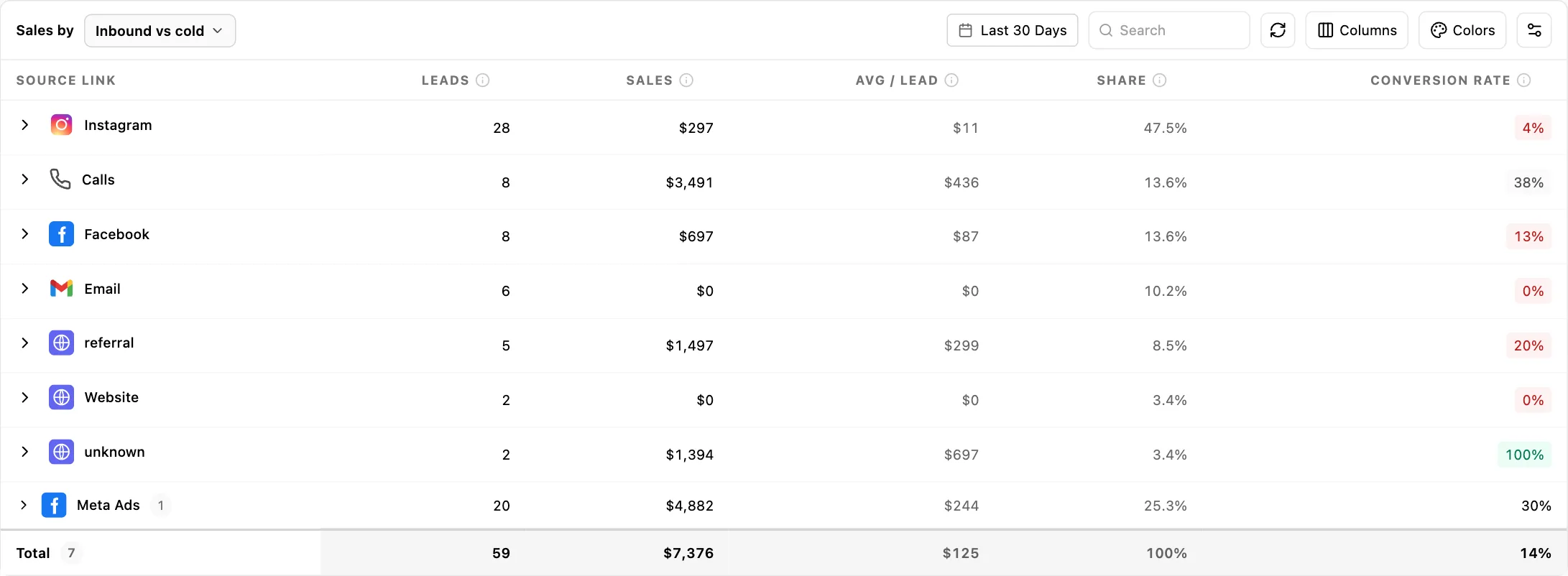
Inflowave stores attribution events that carry the ad account, campaign, ad set and ad identifiers together with the lead, the pipeline, the opportunity, the deal and a value. The chain runs from a specific ad to a specific won deal with a number attached, rather than stopping at the form fill. That is what makes a sales-by-source report readable against a client's bank statement: it reads from closed revenue rather than from platform-reported conversions.
Because attribution is carried on stored object identifiers rather than on the URL, renaming an ad set does not break the join, and there is no fixed list of entry points that qualify.
Conversions API sends are stored with the pixel, event name, event ID, hashed user data and Meta's response status, so a failed send is visible rather than silent. A 200 from your own server is not evidence Meta accepted the event.
Full comparison
Every GoHighLevel cell below reflects a documented position. Where a cell reads "no published cap", that vendor's public documentation does not state a limit, which is not the same as the capability being absent or unbounded. The marketplace row is our judgement rather than a documented figure.
| Capability | GoHighLevel | Inflowave |
|---|---|---|
| Ad platforms in the manager | Facebook, Instagram, Google, LinkedIn | Meta only |
| Documented performance metrics | 14 | 58 stored fields per object per day, 46 of them metrics |
| Reporting levels | Campaign, ad set, ad | Account, campaign, ad set, ad |
| Ad sets per campaign when creating | Up to 10 | No published cap |
| Ads per ad set when creating | Up to 10 | No published cap |
| Outcome types counted, and cost per outcome | Leads and sales counted, with cost per lead and cost per sale | Leads, purchases, registrations and applications counted, with cost per lead |
| Return metric | ROI percent | Purchase ROAS and ROI |
| Attribution mechanism | UTM parameters, pixel, Conversions API | API ingestion plus stored attribution events |
| Effect of renaming an ad set | Names are fixed for the object's life | ID join is unaffected |
| Entry points recording first attribution | Fixed documented list | Not restricted to a list |
| Inbound call attribution | Click-to-call only, not number pools | Calls in the shared inbox |
| Meta widgets in dashboards | Yes | Yes |
| Courses and memberships | Yes, native | No |
| Third-party integration marketplace | Large, mature | Smaller |
| Templating for new clients | Snapshots | Done-for-you buildouts |
| Entry price | $97 per month billed monthly, 3 sub-accounts | $27 per month billed monthly, 1 client workspace |
| Agency price | $297 per month billed monthly, unlimited sub-accounts | $297 per month billed monthly, 10 client workspaces |
| Contacts and users included | Unlimited contacts and unlimited users on every paid tier | 1,000 / 10,000 contacts and 1 / 5 seats on Business and Pro; uncapped on Max |
| Free trial | 14 days | 7 days on every paid plan |
| Plan that includes the ads manager | Ad Manager included on agency plans | Business, $149 per month billed monthly, and above |
Capabilities Inflowave has that GoHighLevel's public documentation does not cover, listed once rather than as a column of repeated blanks: hourly metric granularity, cost-per figures for outbound clicks, inline link clicks and landing page views, the video funnel to 100 percent, average watch time, Meta relevance diagnostics stored per row, the attribution setting stored per row, the raw Insights payload retained, creative files mirrored with content hashing, Instagram permalink per creative, ad-to-opportunity and ad-to-deal links, stored Conversions API responses, and an automated rules engine with account-level guardrails. Check any of them against GoHighLevel's help portal yourself before treating the list as settled.
Pricing, side by side
Both figures below were read from each vendor's own pricing page on 15 September 2026.
GoHighLevel publishes Starter at $97 per month billed monthly, or $970 per year billed annually, with three sub-accounts; Unlimited at $297 per month billed monthly, or $2,970 per year billed annually, with unlimited sub-accounts; Agency Pro at $497 per month billed monthly, or $4,970 per year billed annually, adding SaaS mode and automated sub-account creation; and a custom-priced Enterprise tier. Every paid tier, Starter included, is listed with "Unlimited Contacts" and "Unlimited Users", and each carries a 14-day free trial. Ad Manager is listed among the included features rather than as a paid add-on.
Inflowave publishes Business at $149 per month billed monthly, with one connected social account, one client workspace, 1,000 contacts and one seat; Pro at $297 per month billed monthly, with ten connected social accounts, ten client workspaces, 10,000 contacts and five seats; and Max at $497 per month billed monthly, with fifty connected social accounts, fifty client workspaces, uncapped contacts and uncapped seats. Annual billing is offered at a discount on every tier, and every paid plan, Influencer included, starts with a seven-day free trial. Contacts and seats are capped on Inflowave below Max, where GoHighLevel caps neither on any paid tier; if headcount or list size is your constraint rather than depth per client, that difference favours GoHighLevel. The Ads Manager and Ad Library Spy are included from Business upwards, so the ads depth described here is not gated behind the top tier.
The honest read on sub-account count: GoHighLevel's Unlimited plan is genuinely unlimited at $297 per month billed monthly, and Inflowave's Pro plan at the same $297 per month billed monthly is capped at ten. If client count is your constraint, that difference favours GoHighLevel and it is not close. If you run a smaller book where paid social is the deliverable, depth per client is worth more than headroom you are not using.
Neither headline figure is the real number. Both platforms sit on top of usage costs billed separately, and messaging is metered rather than included on both. We broke the GoHighLevel side down in GoHighLevel SMS and usage fees and the plan maths in GoHighLevel pricing.
How to choose
Choose GoHighLevel if you need courses or memberships, a specific third-party integration, Google and LinkedIn ads in the same manager, a large pool of people who already know the tool, or more than ten client accounts at $297 per month billed monthly.
Choose Inflowave if Meta is where the spend is, your reporting cannot currently answer why a creative stopped working, you need creative and its performance history to survive a client leaving, or you need the chain from a specific ad to a specific won deal rather than to a form fill.
Neither, if you run a single brand rather than an agency. Both are built around managing many client accounts and you will pay for a model you do not use.
If you want to sanity-check the economics before committing to anything, the Facebook ads ROI calculator runs the numbers without a signup.
A note on verifying this
GoHighLevel ships changes frequently, and specifics in any comparison, including this one, go stale. Every GoHighLevel capability, limit and price above is linked to the help article, pricing page or homepage it came from; the ecosystem and community comparisons are our own judgement, not sourced claims. Inflowave's schema claims can be checked by asking us to show the table, and every production figure quoted is labelled with its date, sample size and scope. If a number is not sourced here, it is because we could not source it and left it out rather than estimate.
Frequently asked questions
What is GoHighLevel used for?
GoHighLevel is an all-in-one platform aimed at marketing agencies. Its homepage groups the product into capture, nurture, close and retain, covering websites, funnels and landing pages, a CRM and pipeline, two-way messaging, appointment booking, membership offers and courses, and an ad manager for Google, Facebook, Instagram and LinkedIn ads. Agencies use it to run many client accounts from one login, with sub-accounts keeping each client's data separate.
Is GoHighLevel difficult to learn?
It is broad rather than conceptually hard. The difficulty comes from the number of surfaces you have to configure before anything works end to end. Ad reporting alone means connecting a Meta ads account per sub-account, adding UTM parameters with the right dynamic variables, installing the pixel, wiring the Conversions API in a workflow, and setting dashboard permissions. The basics come up quickly; making reporting reliable is the longer job.
Is there anything better than GoHighLevel?
Better depends entirely on what is binding. For breadth of channels, ecosystem size and cost per client, GoHighLevel is hard to displace. Narrower tools win on narrower jobs: a Meta-focused warehouse, a dedicated call platform, a dedicated email platform. The useful question is not which is better overall but which of your constraints is actually costing you money.
Can I build a website with GoHighLevel?
Yes. The homepage advertises websites, funnels and landing pages under its capture features, along with one-click upsell funnels, so client sites can be built inside the platform rather than in a separate builder. That consolidation is part of the appeal. Inflowave also includes a website and funnel builder, so this is not a point of difference between the two and should not decide the comparison.
What are the disadvantages of GoHighLevel?
From an ads reporting point of view, three are documented by GoHighLevel itself. Campaign, ad set and ad names cannot be changed during the object's lifetime, and if you rename one the CRM keeps referring to the original. First-touch attribution is recorded for a fixed list of entry points, and inbound call attribution works for click-to-call but not when a lead dials a number pool. Attribution rides on UTM parameters, so anything that strips the query string breaks it.
Are HighLevel and GoHighLevel the same?
Yes. HighLevel is the product and company name, and GoHighLevel is the domain it sells and supports from. The official documentation site is the HighLevel Support Portal at help.gohighlevel.com, and pricing is published at gohighlevel.com. You will see both names used interchangeably, along with the abbreviation GHL. There is no separate product sitting behind the two names.
Is there a free version of GoHighLevel?
No free tier is listed on the published pricing page as of 15 September 2026, though the page does offer a 14-day free trial on the tier you choose. The lowest paid plan is Starter at $97 per month billed monthly, or $970 per year billed annually, limited to three sub-accounts. Above it sit Unlimited at $297 per month billed monthly, Agency Pro at $497 per month billed monthly, and a custom-priced Enterprise tier. Ad Manager is included with a paid plan rather than offered as a free version of the platform.
How much is a GoHighLevel agency account?
Checked on 15 September 2026, the published plans are Starter at $97 per month billed monthly, or $970 per year billed annually, with three sub-accounts; Unlimited at $297 per month billed monthly, or $2,970 per year billed annually, with unlimited sub-accounts; and Agency Pro at $497 per month billed monthly, or $4,970 per year billed annually, which adds SaaS mode and automated sub-account creation. Enterprise is custom priced. Messaging and usage costs are billed separately.
Is GoHighLevel worth the money?
The sub-account maths is the strongest argument that it is. At $297 per month billed monthly, with no cap on client accounts, the cost per client falls with every one you add, and few specialist tools compete with that. The case for looking elsewhere is not that the platform is weak. It is that breadth and depth trade against each other, and if one channel carries most of your fee, you may want depth on that channel somewhere in your stack.
Does GoHighLevel do Facebook ads reporting?
Yes, in two ways. Its attribution system reads which campaign, ad set and ad a lead came from, using UTM parameters, the Meta pixel and the Conversions API. Separately, Ad Manager has a Statistics tab reporting clicks, revenue, ROI percent, CPC, CTR, sales, CPS, leads, results, CPL, impressions, spend, reach and frequency, with ad set and ad level breakdowns and a custom date range.
How does GoHighLevel attribute a lead to an ad?
Primarily through the URL. GoHighLevel's guide asks you to add Facebook UTM parameters that pass campaign source as fb_ad, campaign medium as the ad set name, campaign name, campaign content as the ad name, campaign ID and fbclid. First-touch attribution is recorded only for listed entry points such as form submissions, surveys, calendars, Facebook lead forms, order forms, the chat widget and click-to-call inbound calls.
Why do my GoHighLevel ad numbers not match Meta Ads Manager?
Start with the attribution window. Meta's attribution setting is defined per ad set, so two ad sets in the same campaign can be counted differently, and the account-level figure is derived from them. Broken or stripped UTM parameters are a second cause, and renamed campaigns a third: GoHighLevel's own guide says renaming keeps the CRM pointed at the original name.
How far back does Meta ad data go?
Meta's Marketing API reference states that date_preset = maximum returns a maximum of thirty-seven months of data, and that a time range cannot start more than thirty-seven months before the current date. A second limit applies sooner: since 10 June 2025 Meta no longer returns reach on standard queries that use breakdowns with a start date more than thirteen months old. Anything older has to have been stored at the time, by whatever tool you were using then.
What happens to my ad creatives if I lose access to a client's ad account?
In Meta, they go with the account. Creative thumbnail URLs returned by the API expire, and deleted ads take their assets with them. Any performance history you have not stored elsewhere goes too. The general fix is to hold your own copy of the file and its linked metrics outside the ad account; Inflowave does this on ingest with a SHA-256 content hash, and several dedicated creative-library tools do something similar.
Which is cheaper, GoHighLevel or Inflowave?
It depends on client count. Both list $297 per month billed monthly at the agency tier, checked 15 September 2026, but they buy different things: GoHighLevel's Unlimited plan carries unlimited sub-accounts, and its paid tiers list unlimited contacts and unlimited users throughout, while Inflowave's Pro plan includes ten client workspaces, ten connected social accounts, 10,000 contacts and five seats. Past about ten clients, GoHighLevel is cheaper and keeps getting cheaper per client. Inflowave's Ads Manager is included from the Business plan upwards, at $149 per month billed monthly. Neither figure includes messaging and usage costs, which are metered and billed separately on both.
Related reading
- Meta ads reporting for agencies
- Why your creative library should not live in Meta
- Automated rules with guardrails
- Why agencies are leaving GoHighLevel
- How to grow a marketing agency
Sources
- Meta, Ad Account Insights reference, Marketing API. Thirty-seven month limit on
date_preset = maximum,attribution_setting, video and outbound click field definitions. https://developers.facebook.com/docs/marketing-api/reference/ad-account/insights/ - Meta, Insights API overview. Reporting at ad account, campaign, ad set and ad level. https://developers.facebook.com/docs/marketing-api/insights/
- Meta, Insights API limits and best practices. Reach withheld on breakdown queries older than thirteen months from 10 June 2025; ten asynchronous jobs per ad account per day. https://developers.facebook.com/docs/marketing-api/insights/best-practices/
- Meta, Conversions API. https://developers.facebook.com/docs/marketing-api/conversions-api/
- Meta Business Help Center, About ad relevance diagnostics. https://www.facebook.com/business/help/403110480493160
- HighLevel, How to set up Facebook Ad Reporting. UTM parameters, naming constraints, entry points, click-to-call caveat. https://help.gohighlevel.com/support/solutions/articles/48001204042-how-to-set-up-facebook-ad-reporting
- HighLevel, Understanding Attribution Source. https://help.gohighlevel.com/support/solutions/articles/48001219997-understanding-attribution-source
- HighLevel, Overview of Ad Manager. https://help.gohighlevel.com/support/solutions/articles/155000002433-overview-of-ad-manager
- HighLevel, Ad Manager statistics of ad campaigns. The fourteen documented metrics. https://help.gohighlevel.com/support/solutions/articles/155000003631-ad-manager-statistics-of-ad-campaigns
- HighLevel, Create new Facebook ad campaigns in Ad Manager. Ten ad sets per campaign, ten ads per ad set, media size limits. https://help.gohighlevel.com/support/solutions/articles/155000002435-ad-manager-create-new-facebook-ad-campaigns
- HighLevel, Connect Facebook with Ad Manager. https://help.gohighlevel.com/support/solutions/articles/155000003044-connect-facebook-with-ad-manager
- HighLevel, Meta ad widgets for dashboards and reporting. https://help.gohighlevel.com/support/solutions/articles/155000006608-dashboards-meta-ad-widgets-and-insights
- GoHighLevel pricing, checked 15 September 2026. Starter $97 per month billed monthly or $970 per year billed annually, Unlimited $297 per month billed monthly or $2,970 per year billed annually, Agency Pro $497 per month billed monthly or $4,970 per year billed annually, Enterprise custom. "Unlimited Contacts" and "Unlimited Users" listed on every paid tier; 14-day free trial. https://www.gohighlevel.com/pricing
- GoHighLevel homepage. Capture, nurture, close and retain feature groups, including websites and funnels, membership offers and courses, and the ad manager. https://www.gohighlevel.com/
- Inflowave pricing, checked 15 September 2026. https://inflowave.io/pricing