How to choose a power dialer
Power dialer, auto dialer and predictive dialer are not the same thing
A power dialer calls one number at a time from a queue and connects a rep the moment someone answers. An auto dialer is the broader family term. A predictive dialer calls several numbers at once and predicts when an agent will be free, which raises connect rates but risks the silent pause that annoys the person picking up and attracts regulatory attention in several markets. For most agency teams under fifty seats, a power dialer is the right shape: fewer abandoned calls, no awkward delay, and far simpler compliance.
The dialer should live where the lead lives
Most dialers are standalone phone systems that sync to a CRM afterwards, which is where the data loss happens. If the dialer is part of the CRM, the rep sees the full history while the phone rings, and the recording and transcript attach to the same record as the lead's messages. Inflowave pairs the dialer with call recording and conversation intelligence, so the call becomes searchable data rather than a note someone meant to write.
Power, progressive, parallel and predictive, in one paragraph each
A preview dialer shows the rep the record and waits for them to press call, which is slow but right for high-value accounts. A power dialer places one call at a time automatically and moves to the next the moment the last one ends. A progressive dialer is the same idea with a short enforced gap, usually so a screen-pop has time to load. A parallel dialer places several calls at once from a single rep and drops all but the first person to answer, which raises connects sharply and is exactly the behavior regulators describe as an abandoned call. A predictive dialer does the same across a whole floor and uses a pacing algorithm to guess when an agent will free up. The honest summary is that power and progressive dialing are the two safe modes for a team under fifty seats, parallel and predictive buy connects at the cost of abandoned calls and compliance exposure, and preview is for when the list is small and each name matters. Inflowave is a power dialer, and that is a deliberate choice rather than a missing feature.
Dial counts are the easiest thing to measure and the least useful
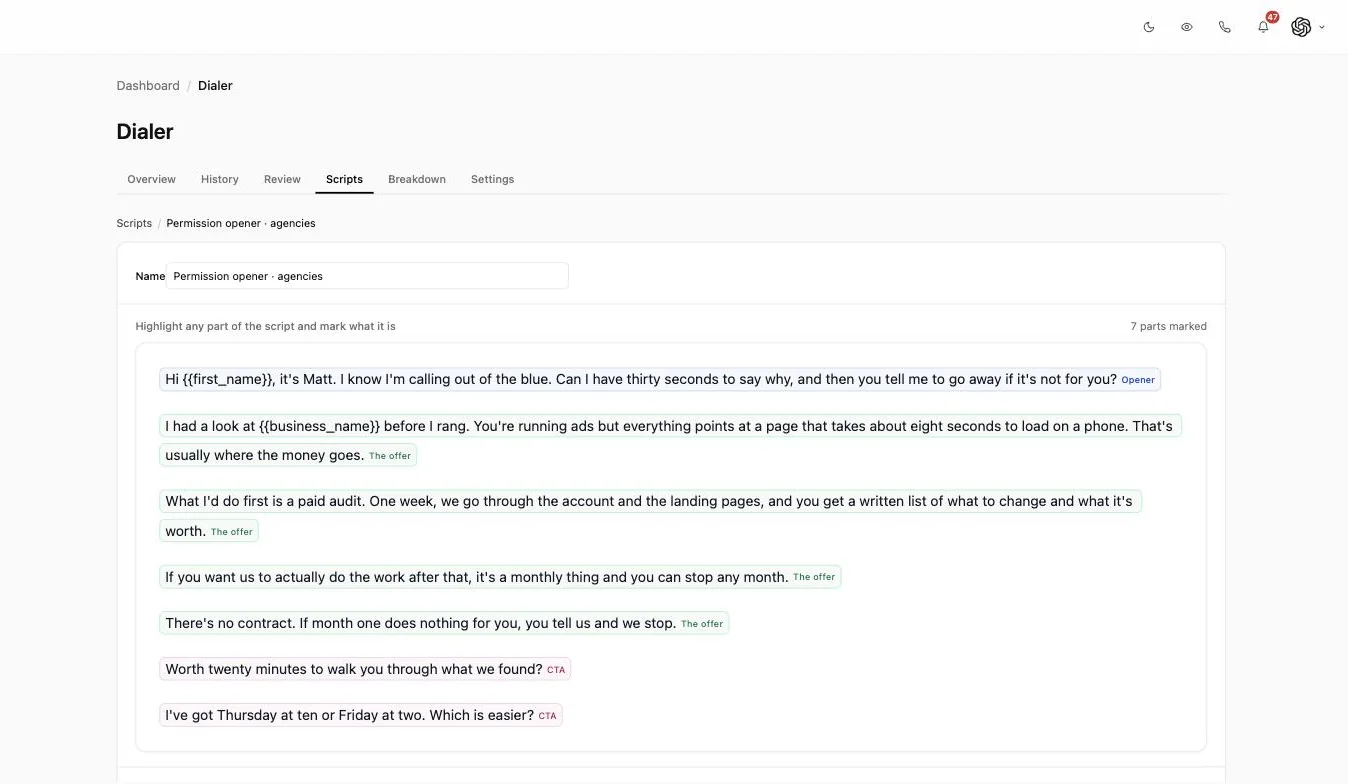
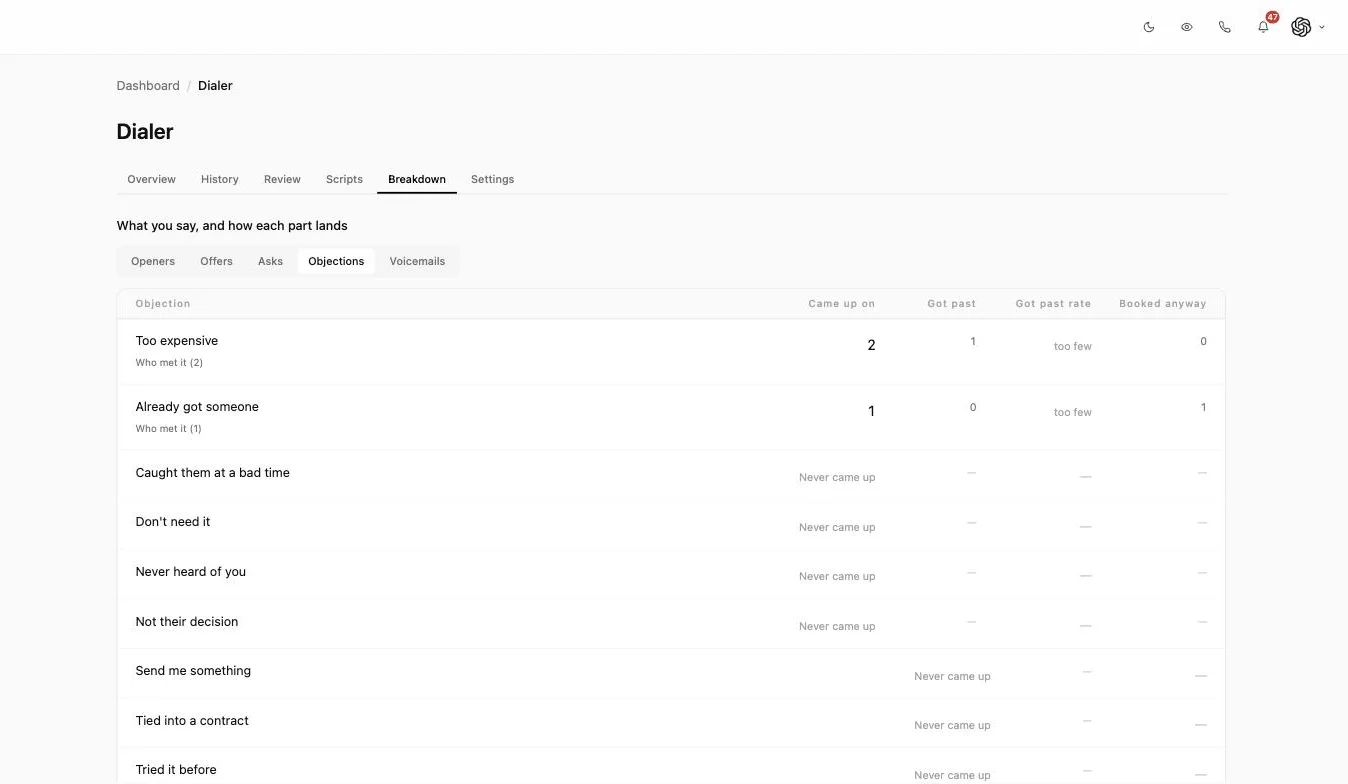
Almost every dialer on the market reports calls placed, connect rate and talk time, because those come free from the telephony layer. None of them tell you what to change on Monday. A team with a 4 per cent book rate and a team with a 9 per cent book rate can have identical dial counts; the difference is in the sentences. That is why Inflowave treats the script as structured data rather than a block of text: you highlight a passage, mark it as the opener, the offer or the ask, and from then on that individual line carries its own said-on and booked counts. The same applies to objections, which are named and counted separately with a got-past rate, so "we lose a lot on price" becomes a figure you can check. The practical test when you are comparing tools is simple: ask whether the reporting can tell you which of two openers is better. If the answer is that you would have to run two campaigns and compare them, the tool is measuring dials, not conversations.
Local presence helps, and it is worth reading how it is implemented
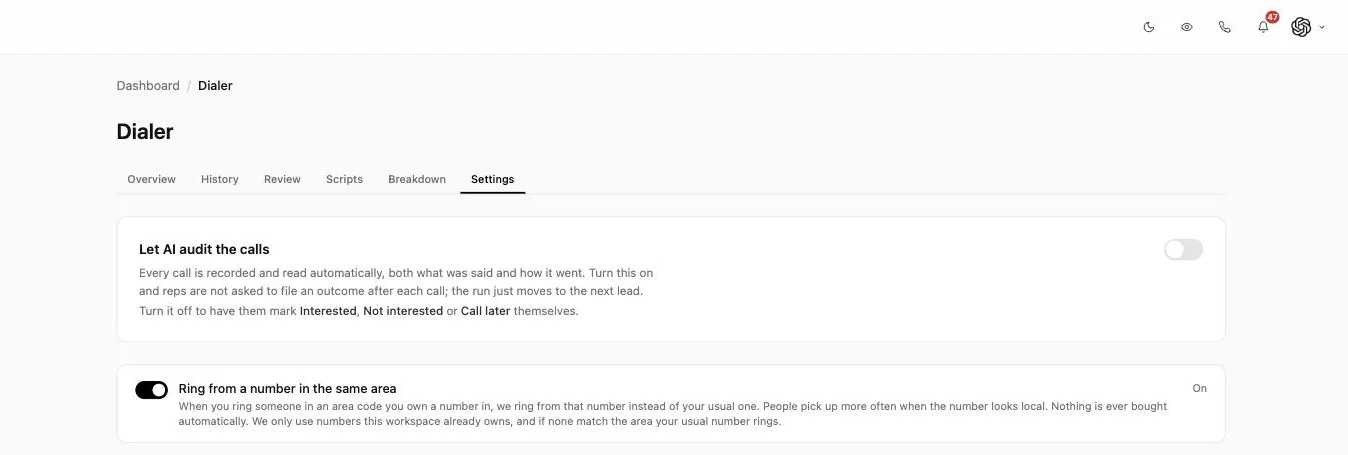
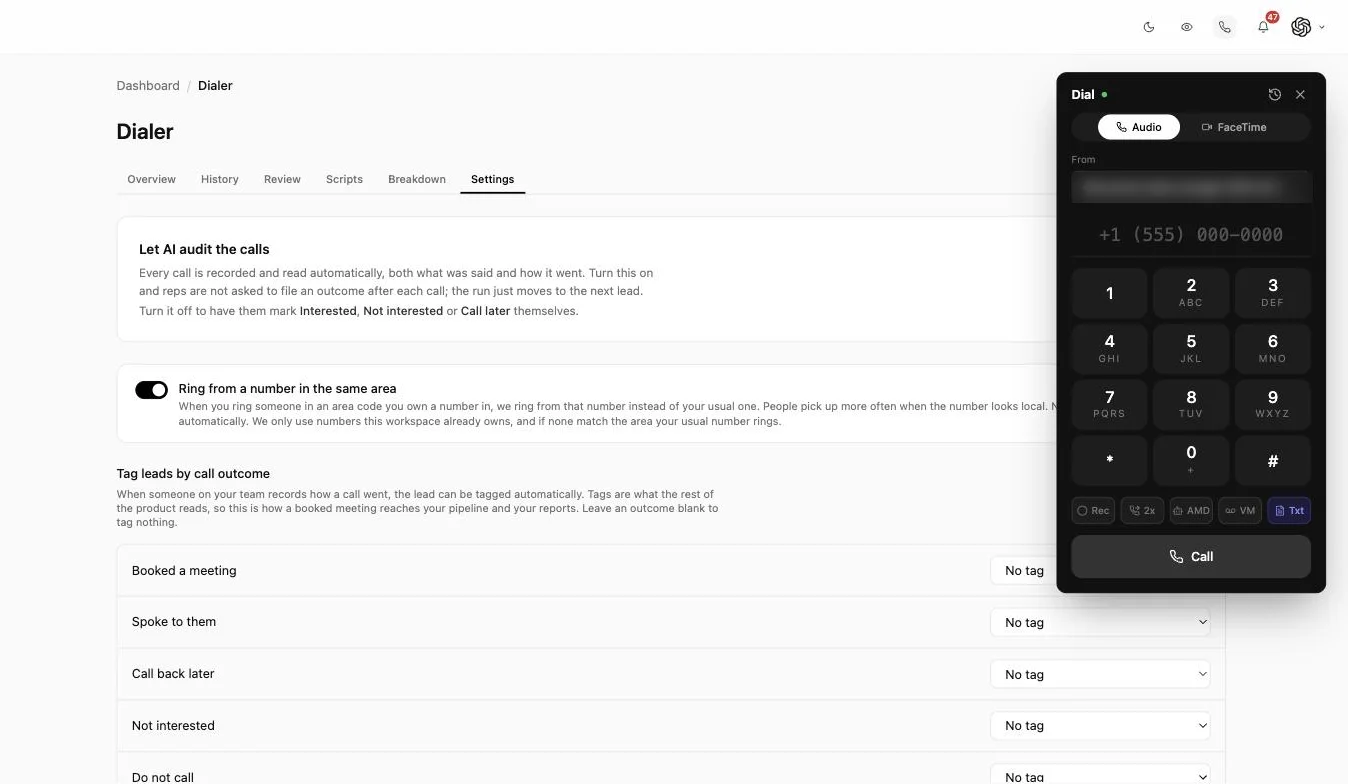
Ringing from a number with the same area code as the person you are calling raises pickups, which is why most outbound tools offer it. The part that varies is what the tool does when it has no matching number. Some providers buy one on your behalf, which quietly grows a number estate you are paying for and, if the numbers are rotated aggressively, can get them flagged as spam. Inflowave only uses numbers the workspace already owns, never buys automatically, and falls back to your usual number when nothing matches the area. Whichever tool you pick, ask that question directly, and ask who owns the numbers if you leave. Separately, note that local presence is a pickup tactic rather than a compliance one: displaying a number you legitimately control is fine, but the same consent and calling-hours rules apply regardless of which of your numbers is on the screen.
Speed of response matters more than volume of dials
Dialing faster only helps if the people you are calling are still interested. Our own research into first-contact messaging found that roughly a quarter of business enquiries are never answered at all, which mirrors what Harvard Business Review reported for web leads more than a decade ago. A dialer is most valuable pointed at fresh inbound rather than a cold list, which is why the queue is built from CRM filters like last contact and source rather than a static CSV.
The compliance question, answered properly
Legality is the first thing most people search after they search for a dialer, and the honest answer has two halves. The dialer itself is rarely the problem: under 47 CFR 64.1200(a)(7) the FCC limits abandoned calls to three per cent of live answers measured over a 30-day campaign, and requires a connection within two seconds of the person speaking. A power dialer places one call per available agent, so structurally it does not generate the abandoned calls that rule is written about, and that is arithmetic rather than a marketing claim. The other half is the part that actually gets people fined: who is on the list, whether they consented, what time you are calling, and whether you honor do-not-call requests. No dialer makes a bad list lawful. Treat the technology as the easy half of compliance and the list as the hard half, and take your own legal advice for the markets you call into.
A dialer CRM removes a whole class of problem you stop noticing
Search for a CRM with a dialer and you will find two different products sold with the same phrase. The first is a CRM that integrates with a phone system: calls are placed in one tool, a summary is written back to the other on a schedule, and the two disagree whenever the sync fails or a rep dials from their mobile instead. The second is a CRM where the dialer is a screen inside it. The difference shows up in small, cumulative ways. A contact who was called twice by two reps in one morning. A recording that exists but is not attached to anyone. A disposition set in the phone tool that never reached the pipeline, so the deal sat in the wrong stage for a week. None of these are dramatic on their own, which is why teams live with them for years. Running the dialer inside the CRM removes the category rather than reducing it, because there is no second copy of the record to fall out of step. It also removes the second bill and the second seat count, which for an agency paying per rep per client adds up faster than the license price suggests.
Conversation intelligence is the same idea, priced differently
Conversation intelligence tools record calls, transcribe them, and surface patterns across a team. They are genuinely useful and usually sold as a separate platform on a separate seat license, often aimed at sales organizations large enough to employ someone to run it. What that category does well is the retrospective view: talk ratios, keyword trends, which reps interrupt. What it rarely does is connect back to the specific sentence you wrote and let you change it. Marking passages in the script and scoring them individually is a narrower idea than full conversation intelligence, but it closes the loop, because the unit being measured is the same unit you edit. If you already pay for a conversation intelligence platform, the two coexist happily. If you are choosing between them, the question is whether you want a report about your calls or a script that changes because of them.
Call dispositions are worth setting up properly, once
A call disposition is just the outcome a rep records at the end of a call: booked, not interested, call back, wrong number. It sounds like admin, and it is the single field most outbound reporting depends on. Two rules make it work. Keep the list short, because a dropdown with twenty options gets filled in at random by hour three. And map each disposition to something the rest of the system reads, so that booking a meeting moves the deal and tags the lead rather than only writing a word into a call log nobody opens. The failure mode is a beautifully designed disposition list that nothing downstream consumes, which produces tidy call records and no change to the pipeline. If you turn the AI audit on, the disposition is written from the transcript instead, which removes both the after-call work and the temptation to pick whatever is at the top of the list.
What outbound dialer software actually costs
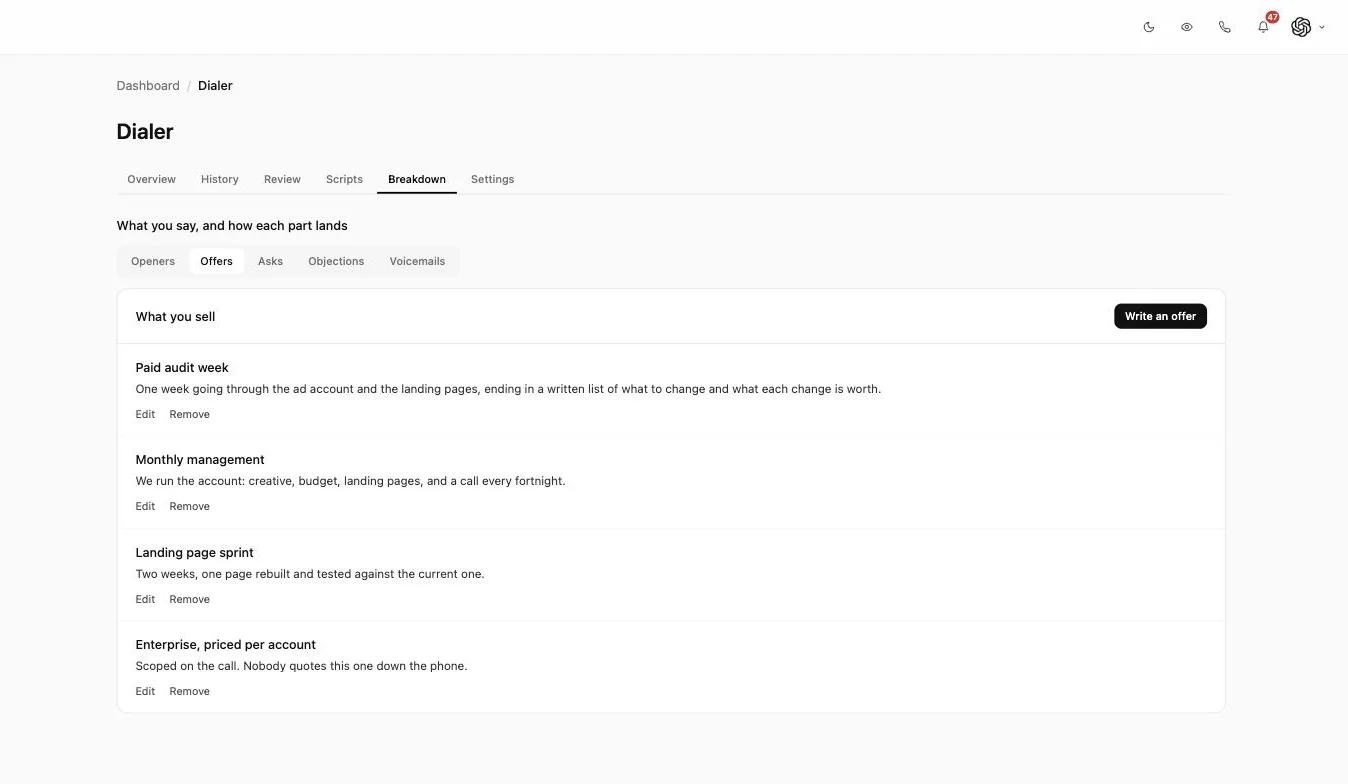
Dialer pricing is quoted per seat per month and that number is rarely the number. Three things sit underneath it. Telephony is usually billed separately by the minute, so a team on the phone all day pays more than the license line suggests. Numbers are billed monthly each, which matters a great deal if local presence is buying them for you across dozens of area codes. And recording, transcription and any analytics layer are frequently separate line items or a higher tier, which is how a quoted seat price doubles between the website and the invoice. The fair way to compare is to price a real month: seats, expected talk minutes, the numbers you would hold, and every feature you would actually switch on. For agencies there is a fourth axis nobody advertises, which is whether you are charged again per client account. A tool priced per seat is cheap at one client and painful at fifteen. Inflowave includes the dialer, recording, transcription and analysis in the plan rather than as tiers, and clients are workspaces inside your account rather than separate subscriptions.
What to check before you buy
Confirm answering machine detection is included rather than an upsell, check whether recordings and transcripts are stored against the contact or in a separate archive, and ask how caller ID and numbers are separated if you run outbound for more than one client. For agencies, that last point decides whether the tool scales past a handful of accounts. Add two questions most buyers forget: can the reporting go below the call and tell you which opener or which objection moved the number, and does local presence use numbers you already own or buy new ones on your behalf. If you also want the calls placed and qualified automatically, look at an AI voice agent alongside the dialer instead of choosing between them.